Laser safety housing
LSG+100E
Industrial solution that allows the marking of parts in series
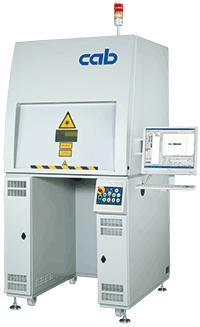
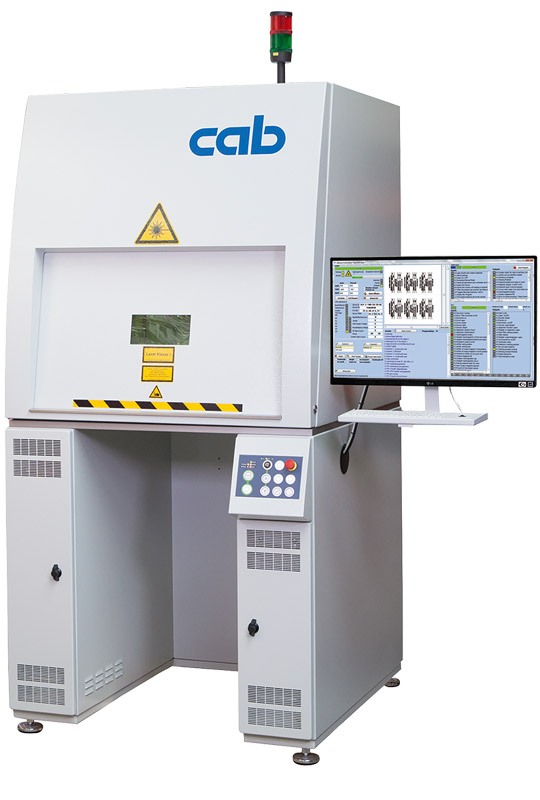
 The laser safety housing LSG+100E offers an industrial solution for marking component series with a marking laser XENO 4. The rugged metal design besides a large work area provides enough space to integrate both the laser beam source and an industrial PC in a 19“ rack mount.
The keyboard and the monitor are ergonomically assembled to a pivot arm. The operation door opens and closes electrically.
Accessories
- 4.3 PC in 4RU 19’’ rack mount
- 4.4 Monitor 23,8"
- 4.5 Standard keyboard, optical mouse
- 4.6 Keyboard with trackball
- 6.7 Extraction and filter device AF5
- 8.1 on request: Rotary table module RTM650
- 8.6 Linear axis X230
- 8.9 Linear axis Z400
- 8.10 Rotary axis D30
- 8.11 3-jaw chuck D30
- 8.15 Axis controller 2S
Setup door
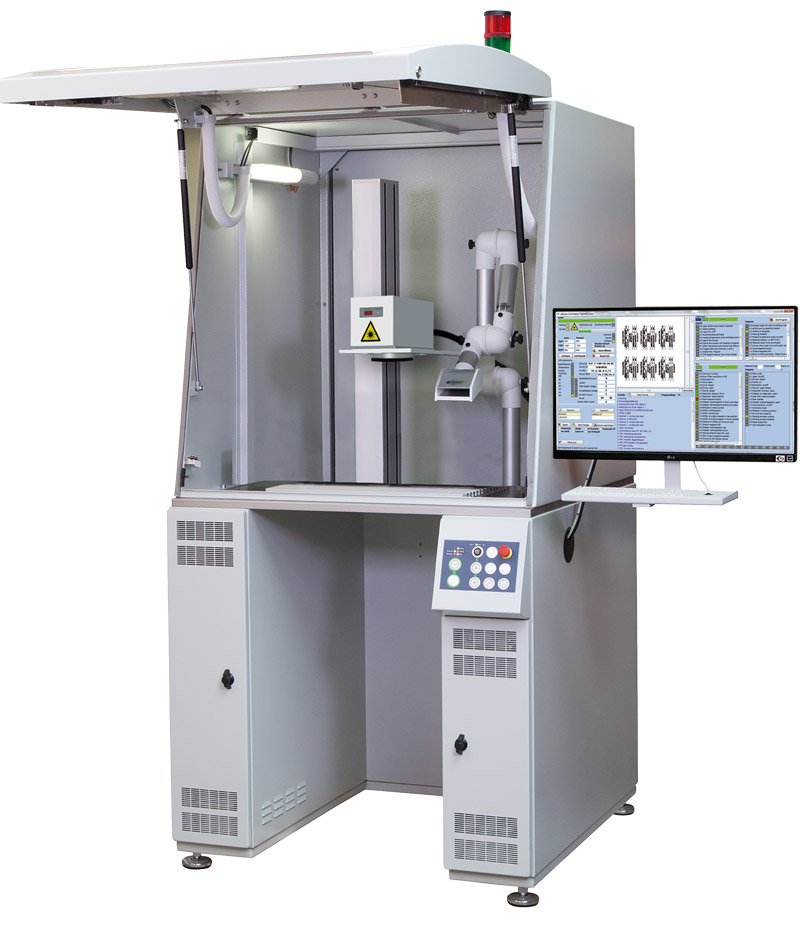
The large setup door allows easily accessing the laser safety housing LSG+100E. At this, jigs may comfortably be mounted on the groove plate in the well-lit work area.
Linear axis Z400
It provides precise and fast focus adjustment. The linear axis is traversed with buttons integrated to the operation panel.
Laser safety housing LSG+100E
 vergrößern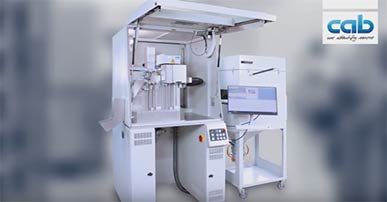
Video: THS4.2 Type Plate Handling
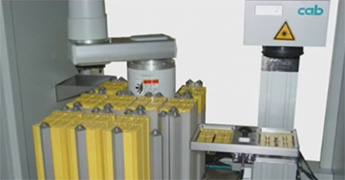
The Type Plate Handling THS4.2 offers - based on the approved laser safety housing LSG100 - a professional solution to fully automatically laser mark plates, mainly out of steel or plastics.
Want to learn more?

Ask for an offer free of charge and without obligation:
Learn more:
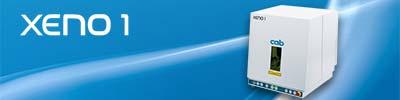
XENO 1 is a compact desktop system, offering little footprint and a large work area.
Product & Basics
What is the LSG+100E?
The LSG+100E is a laser safety housing by cab – the industrial solution for marking series parts with a XENO 4+ laser marking system. The robust steel construction offers a large workspace with sufficient space to integrate the laser source and an industrial PC in a 19” rack mount.
Which lasers are compatible with the LSG+100E?
The LSG+100E is designed for use with the XENO 4+ laser marking system. The control unit and scan head are integrated inside the housing.
What laser class does the system have?
In combination with a XENO 4+, the complete system is classified as laser class 1. No special safety measures are required during normal operation.
What applications is the LSG+100E suitable for?
The LSG+100E is suitable for series marking of metal and plastic components – e.g. type plates, serial numbers, Data Matrix codes, logos, and plain text. With optional axes and the rotary table module, complex marking tasks can also be automated.
Workspace & Design
How is the workspace designed?
The workspace features a T-slot groove plate for flexible mounting of workpiece fixtures and jigs. The area is equipped with LED lighting and offers sufficient space for various component sizes.
How does the operation door work?
The operation door opens and closes electrically. It enables fast workpiece changeover during ongoing production.
What is the setup door?
The large setup door allows easy access to the laser safety housing. Workpiece fixtures can be comfortably mounted on the groove plate in the well-lit workspace.
Where are the keyboard and monitor mounted?
Keyboard and monitor are ergonomically mounted on a pivot arm. The arm is swivelling and allows an optimal operating position.
Axes & Automation
What is the Z400 linear axis?
The Z400 is an integrated linear axis for precise and fast focus adjustment. During setup, the axis is traversed using buttons integrated into the operation panel.
What additional axes are available?
Optionally available are the X400 linear axis (horizontal traversing axis), the D30 rotary axis with a three-jaw chuck for cylindrical workpieces, and a 2-axis controller.
What is the RTM650 rotary table module?
The RTM650 is an optional rotary table module that can be integrated into the LSG+100E. It accommodates two fixtures: while marking takes place on one side, the other side can be set up – for maximum throughput in series marking.
Software & Interfaces
What software is used?
The laser is controlled via CabLase Editor 5. The software runs on the industrial PC installed inside the LSG+100E. For customer-specific data integrations, cab automation is available.
Can the LSG+100E be integrated into a production line?
Yes. Via the PLC control of the cell, the complete system can be integrated into higher-level production lines.
Extraction & Safety
Is an extraction system required?
Yes. A certified extraction and filtration system must be connected to safely remove particles and gases generated during marking. cab offers appropriate systems.
What safety features does the LSG+100E have?
The LSG+100E is designed as a laser class 1 enclosure. The operation door is interlocked with safety switches – the laser can only operate when the door is closed. Additionally, interlock and emergency stop interfaces are provided.
Service & Support
What maintenance is required?
cab fibre lasers are low-maintenance. The F-Theta lens should be regularly inspected for contamination or damage, and the extraction filters should be replaced periodically. The mechanical components of the LSG+100E (axes, door mechanism) should be checked according to the maintenance schedule.
Who do I contact for technical questions?
cab offers direct technical support: Laser marking support: +49 721 6626 499, Online: https://www.cab.de/en/
| 3.1 | 3.2 | |||
| Laser safety housing | LSG+100E 230 V | LSG+100E 120 V | ||
|---|---|---|---|---|
| Work area W x H x D mm | 980 x 460 x 980 | |||
| Groove plate T-slot W x D mm | 550x375 | |||
| Pitch mm | 25 | |||
| Z-Axis stroke mm | 440 | |||
| Positioning accuracy mm | 0.02 | |||
| Repetitive accuracy mm | +/- 0.02 | |||
| Traversing speed up to mm/s | 60 | |||
| Interior lighting | Low energy light bulb | |||
| Operating door | electrical opening / closing | |||
| Opening/closing time s | <2 | |||
| For plano-spherical lens type | 100.1 | 160.1 | 254.1 | 420.1 |
| Marking field mm | 69x69 | 112x112 | 180x180 | 290x290 |
| Working distance mm | 141 ± 4 | 202 ± 8 | 302 ± 8 | 541 ± 20 |
| Workpiece height up to mm | 60-490 | 430 | 330 | 90 |
| Workpiece weight max. kg | 50 | |||
| Dimensions and weight | ||||
| W x H x D mm | 1,000 x 2,280 x 1,120 | |||
| Laser protection window W x H mm | 200 x 100 | |||
| Machine stands Ø mm | 80 | |||
| Suction nozzle Ø mm | 50 | |||
| Rack mount for marking laser FL+ and PC | 4RU 19" | |||
| Weight kg | 395 | |||
| Operating data | LSG+100E 230 V | LSG+100E 120 V | ||
| Operating Voltage/frequency VAC/Hz | 220-240/50 | 100-140/60 | ||
| Power | ON/OFF | |||
| Laser safety class EN60825-1 | Class 1 | |||
| Approval | CE | |||
| Control panel | ||||
| LED indicators | Power Emission Marking Ready Error |
|||
| Push buttons illuminated | Control ON/OFF Focus finder ON/OFF Extraction ON/OFF Interior light ON/OFF Start Z-axis UP/DOWN X-axis LEFT/RIGHT Rotary axis LEFT/RIGHT OPEN/CLOSE door Reserve |
|||
| Switch | E-Stop | |||
| Key switch | automatic/manual | |||
| Monitoring | ||||
| Safety circuits | closed | |||
| Collective error | Marking laser Extraction device |
|||
| Interfaces | ||||
| Interlock/E-Stop FL+ | ||||
| Remote FL+ | ||||
| Digitale I/O FL+ | ||||
| Stepper motor Z-axis, X-axis, rotary axis | ||||
| Extraction and filter device AF5 | ||||
Want to learn more?
Ask for an offer free of charge and without obligation:
Learn more:
-
Marking laser accessories
-
Rotary table module RTM650
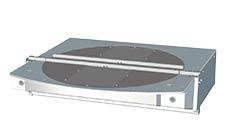
to assemble two jigs for a single or more workpieces. 180° rotation is released by two-hand operation.
Rotary table module RTM650 Rotary table diameter mm 650 Plano-spherical lens type 100.1 160.1 254.1 Workpiece height up to mm 360 300 150 Workpiece weight up to kg 20 (workpiece carrier included) Switch accuracy +/- 0.1 mm = 600 mm Cycle time rotating 2.5 s / 180° -
Laser protection window and assembly frame
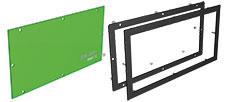
to be assembled in housings or doors to observe the marking process. The window may be assembled directly or with the help of the black anodized front panel and the back side frame behind the wall of the housing.
Laser protection window 100 x 200 Assembly frame 100 x 200 Dimensions Width mm 228 228 Dimensions Height mm 128 128 Dimensions Thickness mm 3 2 -
Linear axis X230 for LSG+100E and XENO 1
Linear axis X400 for LSG+100E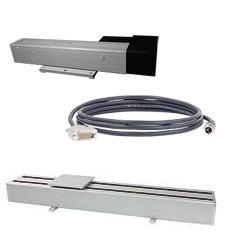
By traversing customer-specific workpiece or pallet carriers along the X-axis, a marking field can be extended.
Linear axis X230 X400 Traversing distance mm 230 440 Position accuracy mm 0.05 0.05 Repetitive accuracy mm ±0.05 ±0.05 Traversing speed up to mm/s 50 60 Dimensions W x H x D mm 503 x 142 x 85 835 x 110 x 200 Load capacity kg 15 50 Weight kg 10 16 Cable to connect a linear axis X230 Length m 1 (XENO 1), 2 (LSG+100E) -
Rotary axis D30 for LSG+100E
Rotary axis D30.1 for XENO 1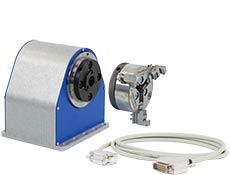
for markings on the circumference of cylindrical workpieces.
Workpiece clamping in the 3-jaw chuck Rotary axisRotary axis D30 / D30.1 Rotation speed rpm 0-40 Operating torque Nm 12 Increment at least [arcmin] 2.5 Holding torque Nm 20 Through bore Ø mm 15 Workpiece Ø up to mm 160 Distance to groove plate mm 84 Dimensions W x H x D mm 125 x 105 x 128 Weight kg 3 3-jaw chuck D30 Clamping range inside Ø mm 23 - 76 Clamping range outside Ø mm 3 - 76 Connecting cable for rotary axis D30 Length m 1 -
Axis controller 2S
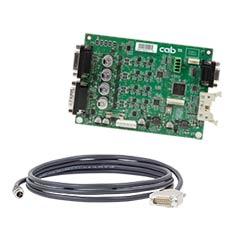
to position the linear and rotary axes with the help of a RS232 or the digital I/O interface.
Axis controller 2S Dimensions W x H x D mm 150 x 110 x 25 Interfaces for Z and rotary axis
Interfaces for Digital I/O
Interfaces for RS232
for manual operation
for automatic operationPower supply 24 VDC Connecting cable for axis controller 2S Length mm 3,000 -
Extraction and filter device AF5
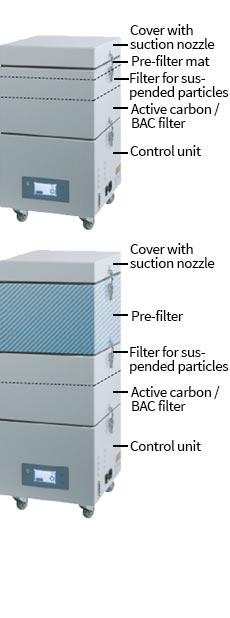
Laser marking processes produce poisonous dusts and gases. The extraction and filter device protects the health of the operators and prevents both the laser area and lens from contamination. At this, it also ensures that the laser power maintains. The air from the working area is extracted by a highly performant turbine via a flexible hose.
The pollutants resp. dusts are separated by the pre-filter and the filter for suspended particles. Gaseous pollutants are absorbed by the active carbon filter. Cleaned air is then returned to the environment.
The extraction and filter device has a modular design, filters are easy to exchange.
-
Want to learn more?
Ask for an offer free of charge and without obligation:
Learn more:
Want to learn more?
Ask for an offer free of charge and without obligation:
Learn more:
Documentation
-
Catalogs
-
Title Format Version Last change Language Laser marking systems
PDF - 2.95 MB 03/2026 11/03/2026 English Overview Product Marking
PDF - 6.64 MB 04/2026 01/04/2026 English
-
3D CAD models
The files are provided in STEP format, which requires CAD software. Follow this link to download a free STP Viewer: VariCAD Viewer (External website).
Select the desired model and click on the link. A short registration follows. cab will handle your personal information as described in our Privacy statement. This information will not be accessible to any third party for marketing purposes. You will receive an email with an activation link and you can download the models.
You need Adobe Reader to view the PDF-files. Download current version of Adobe Reader
Want to learn more?
Ask for an offer free of charge and without obligation:
Learn more:
Software & Drivers
-
Software
-
Title Format Version Last change Language cabLaseEditor (TCP/IP)
ZIP - 153.22 MB 5.3.4.7 i01 11/08/2025 –
-
You need Adobe Reader to view the PDF-files. Download current version of Adobe Reader
Want to learn more?
Ask for an offer free of charge and without obligation:
Learn more: