Label marker
LM+
Mark and cut labels in different sizes out of continuous material
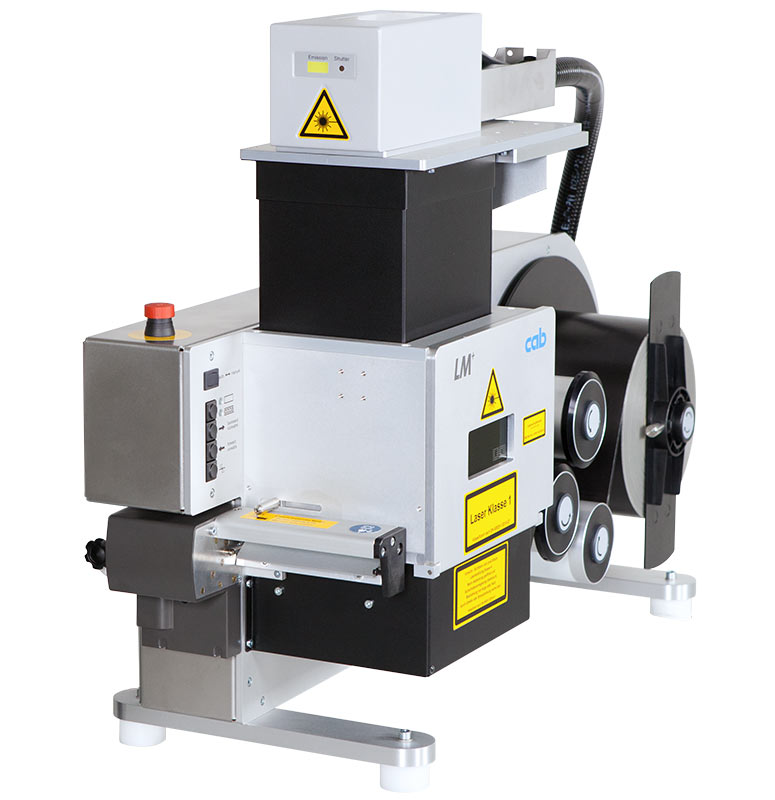
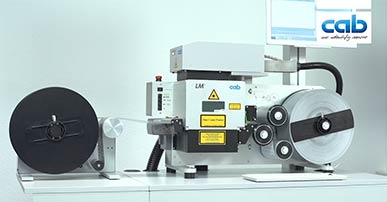
 The laser label marker allows precise marking of labels of different sizes straight from the roll and cut them out without the need of additional tools.
After the marking, labels made of laser markable foil can be separated by a cutter or externally rewound.
 vergrößern
Cutter
Accessories
- 4.3 PC in a 4 height units 19’’ rack
- 4.4 Monitor 23.8’’
- 4.5 Standard keyboard, optical mouse
- 4.6 Keyboard with trackball
- 5.3 External rewinder
- 5.4 Hose set
- 5.5 Mobile cart
- 5.6 Console
- 5.7 Monitor column
- 6.1 Extraction and filter system AF5
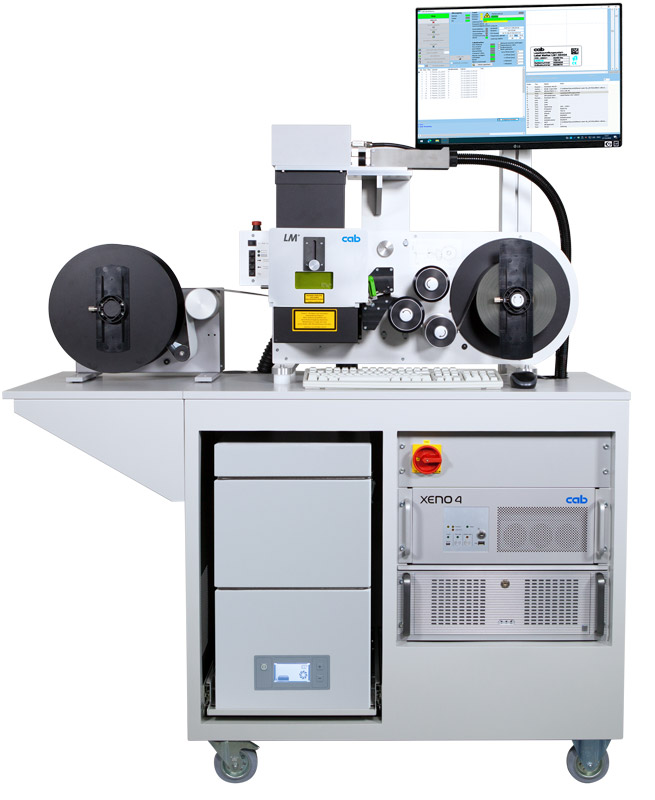
Laser label marker LM+
with a mobile cart, an external rewinder on the console, a column with a monitor attached and an extraction and filter device AF5
Video: LM+ Laser Label Marker
The laser label marker allows to precisely mark and cut labels in different sizes out of continuous material without the need of additional tools.
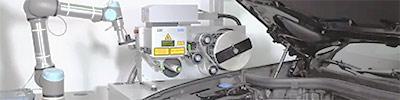
More videos on LM+: Robot application, pick-up table, peel-off function
Want to learn more?

Ask for an offer free of charge and without obligation:
Learn more:
Digital Product Passport becomes mandatory from 2027.Our solution: cab LM+ laser marking
Product & Basics
What is the LM+ (LabelMarker)?
The LM+ is a laser label system by cab that precisely marks AND cuts labels of various sizes directly from the roll in a single pass – without additional tools or dies.
What materials can the LM+ process?
DThe LM+ works with all common laser-markable foil materials. cab supplies the hardware only, not the consumables. An overview of compatible materials can be found at: https://www.cab.de/media/pushfile.cfm?file=4087
What is the difference between the LM+ and the XENO 1+?
The LM+ marks and cuts labels from the roll in a single pass. The XENO 1+ is a standalone direct marker that marks workpieces and components directly – it can also mark laser foil sheets.
How are the finished labels dispensed?
After marking and cutting, the labels can be separated via the integrated cutting blade or rewound onto an optional external rewinder.
What are typical applications for the LM+?
Typical applications include cable marking, type plates, safety and warning labels, equipment identification, PCB labels, VIN labels (Vehicle Identification Number) for the automotive industry, inventory and asset labels, as well as inspection and calibration stickers. The LM+ is ideal wherever flexible label formats in variable sizes and quantities are needed on demand – without stocking pre-cut labels.
Marking fields & Optics
What is the marking field size?
The marking field is determined by the F-Theta lens installed. The exact dimensions depend on the configuration.
Can the lenses be changed?
Yes. The F-Theta lens can be replaced if needed. A recalibration of the system is required after a lens change to ensure marking accuracy.
Software & Interfaces
What software is used?
The LM+ uses two software components: CabLase Editor 5 is used to create templates (layout designs). The automated process controlling the LabelMarker, extraction, and laser is managed by the cabLabelMarker software. Data import can be performed via web service, XML format, CSV, TXT, or XLSX format as standard. For customer-specific integrations with other formats, our team provides custom applications tailored to individual requirements.
Is ERP/MES integration possible?
Yes. Through our cab automation, we are able to deliver a customer-specific integration for virtually any requirement.
Extraction
Is an extraction system required?
Yes. Laser marking and cutting generates dust and gases. A certified extraction and filtration system protects the health of operators and prevents contamination of the laser chamber and lens. cab offers appropriate systems.
Service & Warranty
What maintenance is required?
cab fibre lasers are low-maintenance. The F-Theta lens should be regularly inspected for contamination or damage, and the extraction filters should be replaced periodically.
Who do I contact for technical questions?
cab offers direct technical support: Laser marking support: +49 721 6626 499, Online: https://www.cab.de/en/
| 4.1 | 4.2 | |
| Laser label marker | LM+160.1 | LM+254.1 |
|---|---|---|
| Work area W x H x D mm | 160 x 5 x 190 | |
| Positioning accuracy mm | 0.2 | |
| Transport speed mm/s | 200 | |
| Interior light | LED | |
| Material | Label or continuous material | |
| Material thickness mm | 0.055-0.3 | |
| Material weight up to g/m2 | 500 | |
| Material width mm | 25-120 | |
| Label height max. mm | 180 | |
| Roll outer diameter max. mm | 300 | |
| Roll core diameter mm | 76 | |
| Roll winding | outside / (inside on request) | |
| Lens Type | 160.2 | 254.2 |
| Marking field mm | 112 x 112 | 120 x 170 |
| Working distance mm | 210 ± 8 | 310 ± 8 |
| Dimensions and weight | ||
| W x H x D mm | 440 x 520 x 802 | |
| Laser protection window WxH mm | 100 x 50 | |
| Machine stands Ø mm | 50 | |
| Suction nozzle Ø mm | 50 | |
| Weight kg | 22 | |
| Operating data | ||
| Operating voltage/frequency | 100-240 VAC ~ 50/60 Hz | |
| Power | ON/OFF | |
| Laser safety class EN60825-1 | Class 1 | |
| Approval | CE | |
| Operation panel | ||
| LED indicators | Continuous material Labels |
|
| Push buttons | Material feed forwards Material feed backwards Cut |
|
| Switches | Automatic / manual E-Stop |
|
| Monitoring | ||
| Safety circuits | closed | |
| Wipe-down roller | locked | |
| Material | In marking position / no material | |
| Interfaces | ||
| Interlock/E-Stop FL+ | ||
| Serial RS232C FL+ Con5 | ||
| External E-Stop | ||
| Cutter | ||
Want to learn more?
Ask for an offer free of charge and without obligation:
Learn more:
-
Marking laser accessories
-
Extraction and filter device AF5
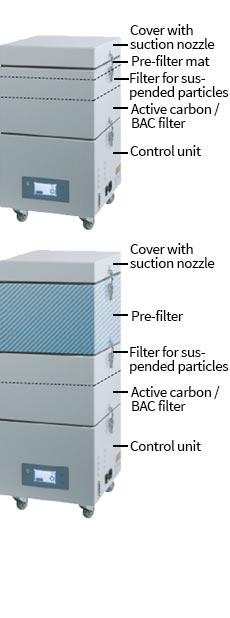
Laser marking processes produce poisonous dusts and gases. The extraction and filter device protects the health of the operators and prevents both the laser area and lens from contamination. At this, it also ensures that the laser power maintains. The air from the working area is extracted by a highly performant turbine via a flexible hose.
The pollutants resp. dusts are separated by the pre-filter and the filter for suspended particles. Gaseous pollutants are absorbed by the active carbon filter. Cleaned air is then returned to the environment.
The extraction and filter device has a modular design, filters are easy to exchange.
-
Want to learn more?
Ask for an offer free of charge and without obligation:
Learn more:
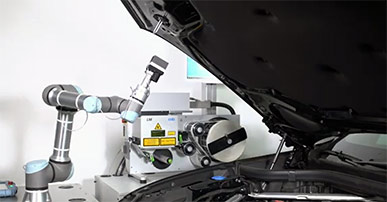
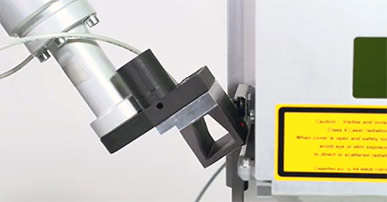
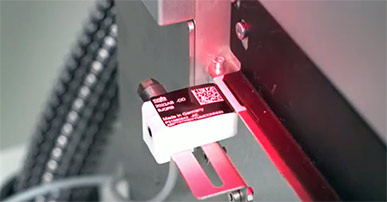
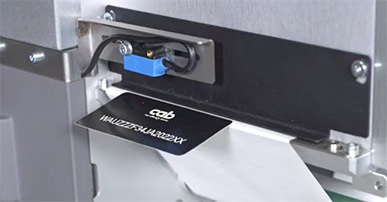
Video: Label marker LM+P with peel-off function
Video: LM+ Laser Label Marker
Powered by YouTube. See all cab videos: cab Channel auf YouTube.
Other formats:
- LM+ Laser Label Marker (MPEG-4, 93 MB)
Video: cab laser label verifier system
Powered by YouTube. See all cab videos: cab Channel auf YouTube.
Other formats:
- cab Laser Label Verifier System (WMV, 20,5 MB)
- cab Laser Label Verifier System (MPEG-4, 5,4 MB)
Download players:
- For WMV: Windows Media Player
- For MPEG-4: VLC Player
Want to learn more?
Ask for an offer free of charge and without obligation:
Learn more:
Documentation
-
Catalogs
-
Title Format Version Last change Language Laser marking systems
PDF - 2.95 MB 03/2026 11/03/2026 English Overview Product Marking
PDF - 6.64 MB 04/2026 01/04/2026 English
-
-
Operation Manuals
-
Title Format Version Last change Language Operator's Manual Laser Marking System LM+ P / FL+ / AF
PDF - 16.78 MB 12/2017 24/09/2026 English/Deutsch Operator's Manual Laser Marking System LM+ P / FL+ / AF
PDF - 16.78 MB 12/2017 24/09/2026 English/Deutsch
-
-
Assembly Instructions
-
Title Format Version Last change Language Assembly Instructions Laser Marker LM+
PDF - 5.61 MB 10/2022 31/07/2026 English
-
-
Case study
-
Title Format Version Last change Language Leica Geosystems: Individual typeplates are marked by laser
PDF - 517 KB 01/2025 08/01/2025 English
-
-
Data sheets
-
Title Format Version Last change Language Consumables approved for LM+ laser marking systems
PDF - 309 KB 04/2026 24/04/2026 English/Deutsch
-
You need Adobe Reader to view the PDF-files. Download current version of Adobe Reader
Want to learn more?
Ask for an offer free of charge and without obligation:
Learn more:
Software & Drivers
-
Software
-
Title Format Version Last change Language cabLaseEditor (TCP/IP)
ZIP - 153.22 MB 5.3.4.7 i01 11/08/2025 –
-
You need Adobe Reader to view the PDF-files. Download current version of Adobe Reader
Want to learn more?
Ask for an offer free of charge and without obligation:
Learn more: