
Print and apply systems
HERMES Q
Printing labels and applying them automatically in production lines
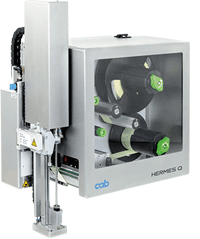

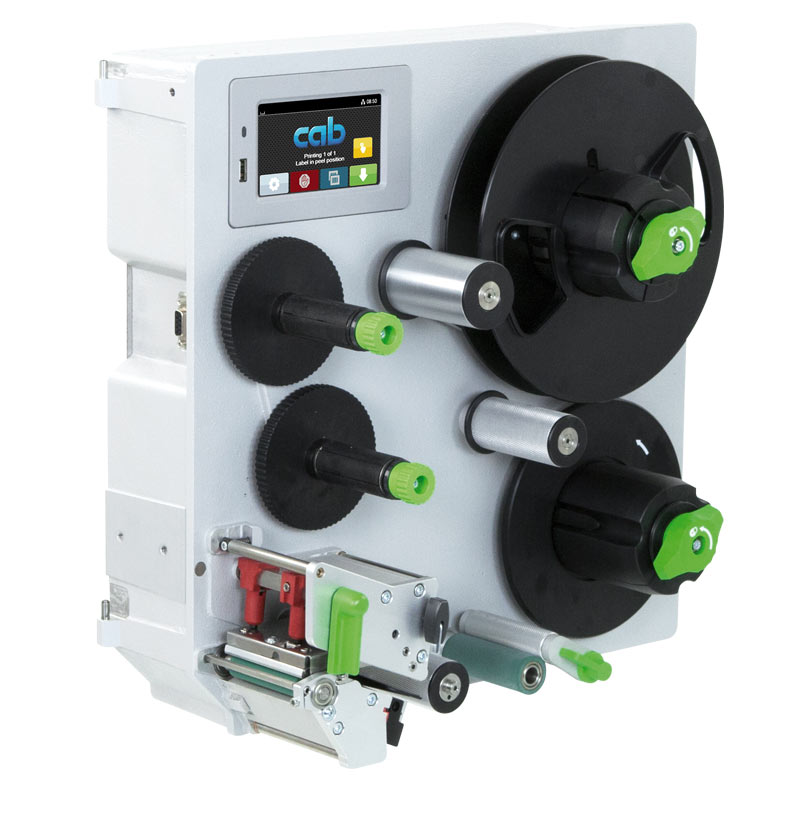
The slim one
to print small labels
| 1.1 Label printer | HERMES Q2 | |
|---|---|---|
| Printable resolution dpi | 300 | 600 |
| Print speed up to mm/s | 300 | 150 |
| Print width up to mm | 56.9 | 54.1 |
| Label roll outside diameter mm | 205 / 305 | |
| Label width up to mm | 58 | |
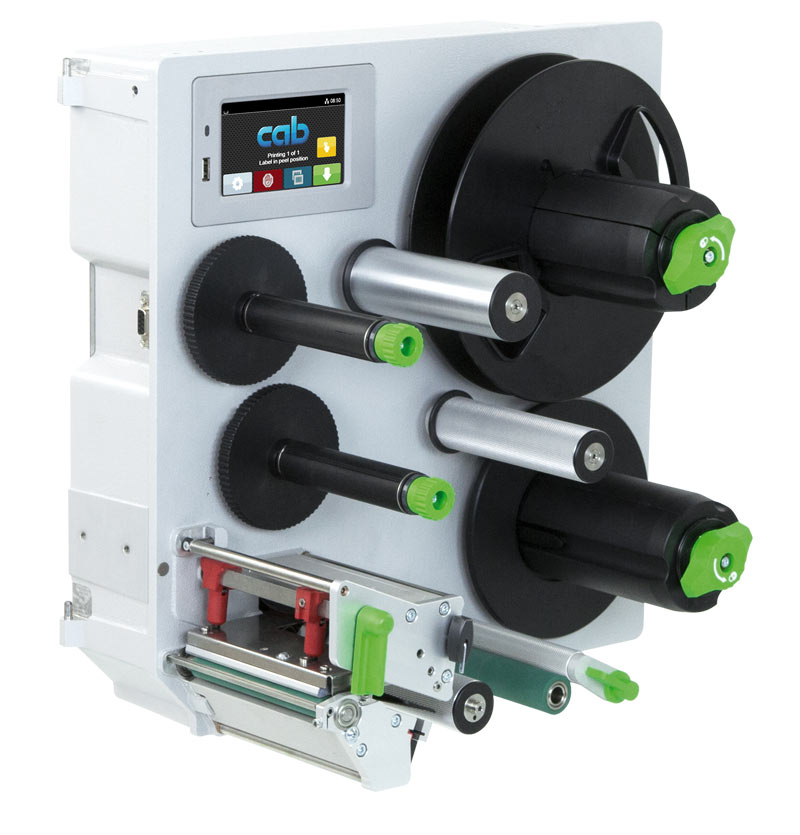
The universal one
An industrial bestseller, providing a wide range of accessories
| 1.2 Label printer | HERMES Q4.3 | HERMES Q4 | ||
|---|---|---|---|---|
| Printable resolution dpi | 200 | 300 | 300 | 600 |
| Print speed up to mm/s | 300 | 300 | 300 | 150 |
| Print width up to mm | 104 | 108.4 | 105.7 | 105.7 |
| Label roll outside diameter mm | 205 / 305 | |||
| Label width up to mm | 114 | |||
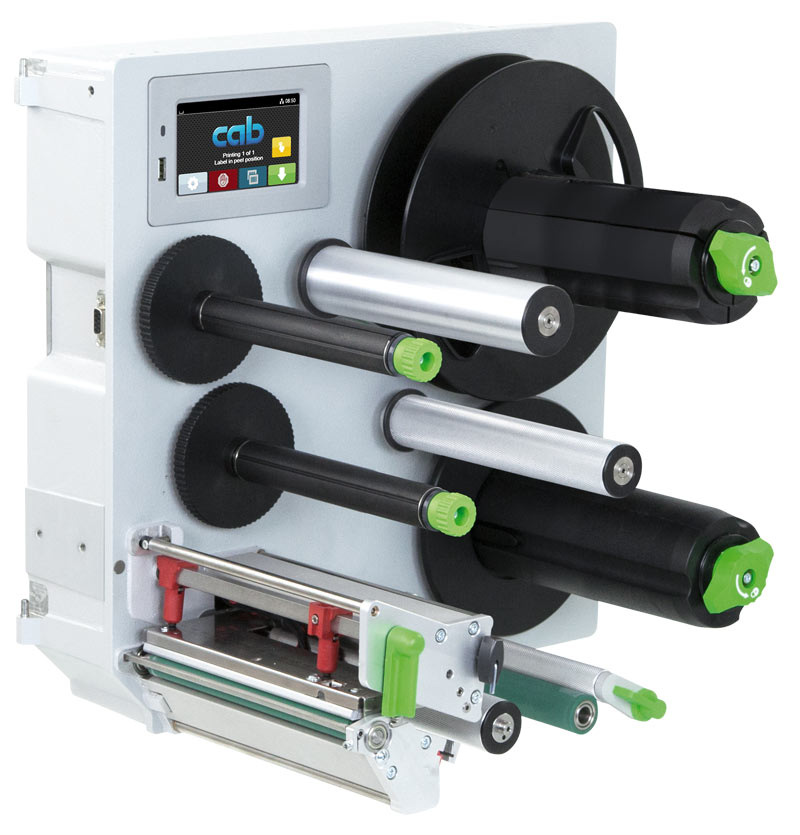
The wide one
to print Odette, UCC and GS1 labels in logistics applications
| 1.3 Label printer | HERMES Q6.3 | |
|---|---|---|
| Printable resolution dpi | 200 | 300 |
| Print speed up to mm/s | 250 | 250 |
| Print width up to mm | 168 | 162.6 |
| Label roll outside diameter mm | 205 / 305 | |
| Label width up to mm | 174 | |
Sample applications
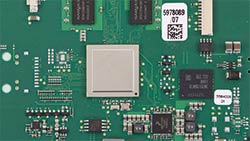
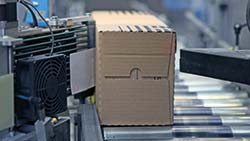
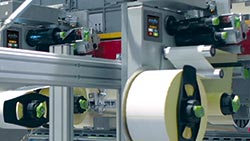
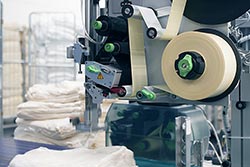
Label rolls
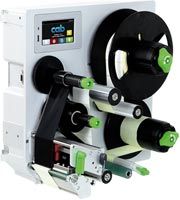
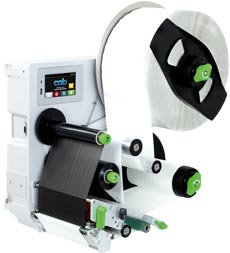
All units can provide an unwinder for picking up rolls with maximum diameters either 205 mm or 305 mm.
Directions to which dispense labels
All units can be designed for providing labels either to the left or to the right.
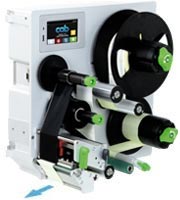
left
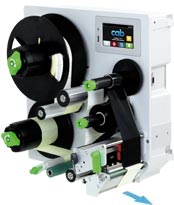
right
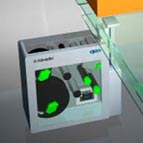
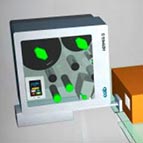
Orientations of assembly
All the units can be rotated vertically by at most 360° or assembled in horizontal orientation.
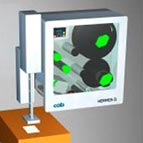
0º
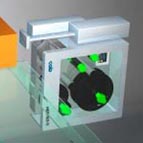
90º
180º
270º
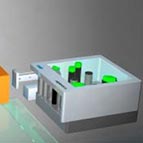 horizontal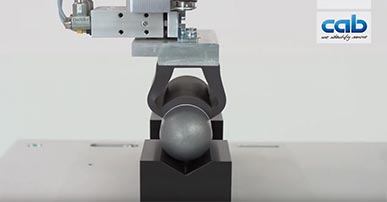
Video: Hermes Q with applicator 4114 and form pad
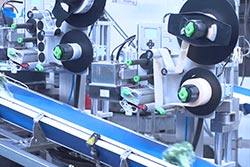
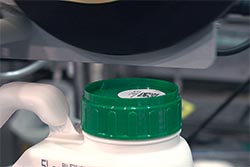
Labels are applied precisely to cylindric objects, oblique or curved surfaces.
Want to learn more?
Ask for an offer free of charge and without obligation:
Learn more:
Interface modeled by cab for robotics operations of tomorrow.

SOTI Connect software enables label printers be configured and managed centrally.
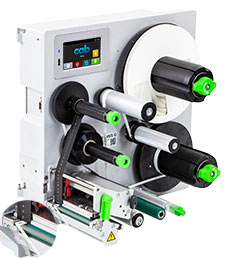
HERMES Q in detail
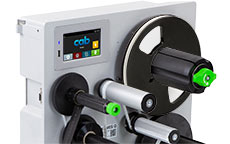
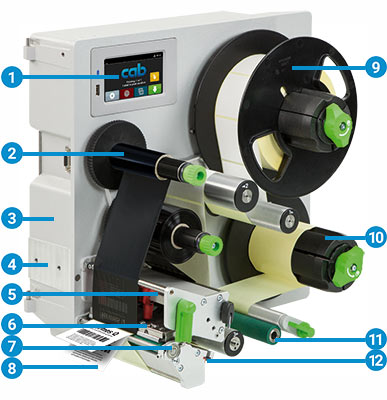 1 Operation panel
Self-explanatory symbols are on display. The device can thus be operated intuitively and settings be configured easily.
2 Ribbon holder
On the basis of three-part tightening axles, ribbons can be replaced easily and quickly.
3 Rugged metal chassis
It is made of cast aluminum. All the parts are assembled to it.
4 Applicator
It is assembled to hinge pins. It can be pivoted in case of maintenance or if materials have to be replaced.
5 Pressing plungers
One is fixed near the chassis wall. The second one is pushed to the label margin, as far as necessary to evoke a good print image.
6 Print head
Units of the same width are interchangeable. Replacement requires only few steps.
7 Print roller
It can be removed/inserted quickly in cases of cleaning or wear.
8 Peel-off plate
Pivoting improves labels be applied to packages.
9 Label unwinder
A swing arm and an integral brake enable labels be unwound at constant force.
10 Liner rewinder
Subsequent to all the labels been dispensed, the entire liner tape is rewound. On the basis of a three-part tightening axle, liner tapes can be inserted and removed easily.
11 Pulling system
A liner tape is clamped between a draw roller and a pinch roller. Labels are dispensed using feed synchronous to the print roller.
12 Label sensor
Imprint is precisely set on spot on a label and materials ending detected by a transmissive or a reflective sensor.
Accurate imprint
The smaller a label, the higher are the demands regarding the accuracy of an imprint. Print offset can be reduced by ±0,2 mm using adjustable slip correction.
Print heads
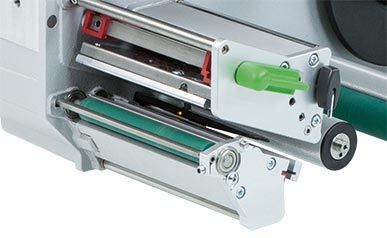
Units of the same width are interchangeable. They are detected by the CPU automatically and calibrated. The print distance to the locating edge can be adjusted.
Major data such as the operational performance, maximum operating temperature and heat energy are recorded on the print head. Data can be read at the factory.
Print heads provided for HERMES Q2, HERMES Q4 - 300, 600 dpi
- sharp-edge print images
- e.g. when printing small fonts and graphics on typeplates
- e.g. when printing on materials requires high energy needs
Print heads provided for HERMES Q4.3, HERMES Q6.3 - 200, 300 dpi
persistent; when labeling in rough settings and thermal direct method
Print rollers
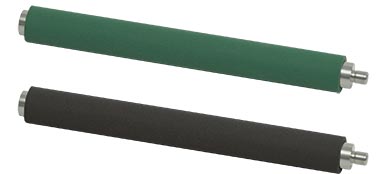
Two types of materials:
Print rollers DR
providing a synthetic rubber coating
They enable highly accurate imprint and are provided by default.
Print rollers DRS
providing a silicone coating
Product life is extra long, taken a higher print offset into account.
Interfaces
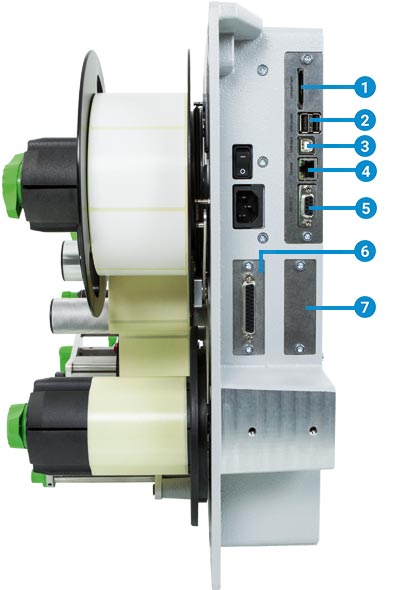
1 to insert a SD memory card
2 2 USB hosts to connect a service key, USB memory stick, keyboard, barcode scanner, USB WLAN stick, warning light, an external operation panel
3 USB 2.0 Hi-Speed to connect a PC
4 Ethernet 10/100 Mbit/s
5 RS232C 1,200 to 230,400 baud / 8 bits
6 Digital I/O interface; socket connector SUB-D, 25 pins compliant with IEC/EN 61131-2, types 1+3
All the inputs and outputs are isolated galvanically and protect from reverse polarity. In addition, outputs are short-circuit proof.
PNP inputs
Start printing or labeling
Print first label
Reprint
Delete print job
Label removed
Stop printing or labeling
Label feed
Label rotated by 90° (to be applied by appl. 4214)
Pause
Reset
PNP, NPN outputs
Device ready
Print data available
Initial / upper end position
Paper feed ON
Label in transfer position
Label application / lower end position
Pre-warning to a ribbon ending
Pre-warning to a label web ending
End of a ribbon and/or a label web
Collective error
Option:
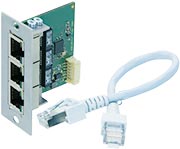
7 2 port Ethernet switch 10/100 Mbit/s
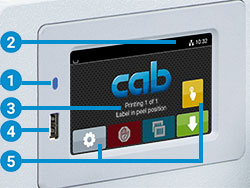
Operation panel
Self-explanatory symbols are on display. The device can thus be operated intuitively and settings be configured easily.
1 LED: Power ON
2 Status bar: data reception, record data stream, pre-warning to a ribbon ending, SD memory card / USB memory stick plugged in, WLAN, Ethernet, USB slave, time
3 Printer status: ready, pause, number of labels printed in a print job, label in transfer position, awaiting external start signal
4 USB slot to connect a service key or a memory stick, to transfer data to the IFFS memory
5 Operation
 Printing and applying labels in individual steps
 Jump to menu
 Reprint the latest label
 Interrupt and continue a print job
 Stop and delete all print jobs
 Label feed
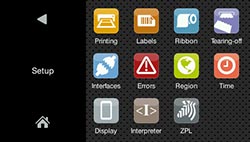
Setup options
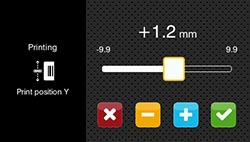
Print offset Y
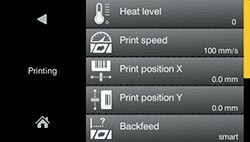
Print parameters
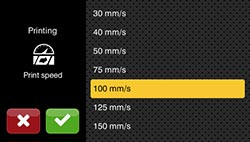
Print speeds
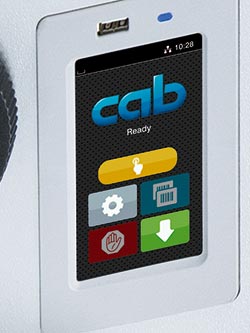
Landscape or portrait display, depending from the orientation of assembly
Printer rotated by 90°
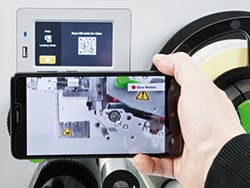
Video tutorials
External operation panel
If the operation panel of a printer cannot be accessed, an additional external one can be plugged.
Same functionality as on the printer
Landscape or portrait mode
Operability as desired on the external operation panel or on the printer
Printer connectivity: USB 2.0 Hi-Speed device
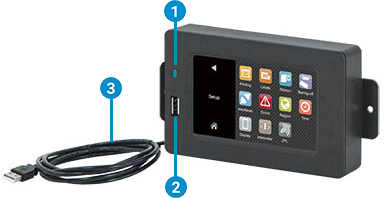
1 LED: Power ON
2 USB slot to plug a service key or a memory stick, to transfer data to the IFFS memory
3 Connecting USB cable for power supply cab provides specified cables. Lengths are 1.8 m to 16 m.
Want to learn more?
Ask for an offer free of charge and without obligation:
Learn more:

Ready to interact with machines and components of different manufacturers in industrial plants.
Interface modeled by cab for robotics operations of tomorrow.
Technical data
 typical
  standard
  option
| Label printer type | HERMES Q2 | HERMES Q4.3 | HERMES Q4 | HERMES Q6.3 | ||||
|---|---|---|---|---|---|---|---|---|
| Printing method Thermal transfer | |
|
|
|
|
|
|
|
| Printing method Thermal direct | - | - | |
|
- | - | |
|
| Printable resolution dpi | 300 | 600 | 200 | 300 | 300 | 600 | 200 | 300 |
| Print speed up to mm/s | 300 | 150 | 300 | 300 | 300 | 150 | 250 | 250 |
| Print width up to mm | 56.9 | 54.1 | 104 | 108.4 | 105.7 | 105.7 | 168 | 162.6 |
| Direction to which dispense labels | L = to the left / R = to the right | |||||||
| Print distance to locating edge mm | 1 | 1 | 1 | 1 | 1 | 1 | 1 | 1 |
| Print distance to locating edge with automatic saving L/R mm | - | - | 2.2/1.6 | 0/-0.7 | 1/1 | 1/1 | 0.2/0.2 | 2.9/2.9 |
| Materials | ||||||||
| Labels | Paper, PET, PE, PP, PI, PVC, PU, acrylate, Tyvec | |||||||
| Labels on a roll | |
|
|
|
||||
| Labels on a reel | |
- | - | - | ||||
| Labels1) Width mm | 4 - 58 | 10 - 114 | 10 - 114 | 46 - 174 | ||||
| Labels Height from mm | 3 | 4 | 4 | 6 | ||||
| Labels Thickness up to mm | 0.60 | 0.60 | 0.60 | 0.60 | ||||
| Liner tape Width if operating a roll mm | 24 - 62 | 24 - 118 | 24 - 118 | 50 - 178 | ||||
| Liner tape Width if operating a reel or a roll2) mm | 10 - 24 | - | 10 - 24 | - | ||||
| Liner tape Thickness mm | 0.03 - 0.06 | 0.03 - 0.06 | 0.03 - 0.06 | 0.03 - 0.06 | ||||
| Roll unwinder Outside roll diameter up to mm | 205 / 305 | 205 / 305 | 205 / 305 | 205 / 305 | ||||
| Roll unwinder Outside reel diameter up to mm | 205 | - | - | - | ||||
| Roll unwinder Core diameter mm | 76 | |||||||
| Roll unwinder Winding | outside or inside | |||||||
| Roll rewinder Outside diameter up to mm | 155 / 205 | |||||||
| Roll rewinder Core diameter mm | 76 | |||||||
| Ribbon3) Ink side | outside or inside | |||||||
| Ribbon Roll diameter up to mm | 90 | |||||||
| Ribbon Core diameter mm | 25.4 | |||||||
| Ribbon Length up to m | 600 | |||||||
| Ribbon Width mm | 25 - 67 | 25 - 114 | 25 - 114 | 50 - 170 | ||||
| Ribbon Automatic ribbon saving | - |  |
|
|
||||
| Printer dimensions and weights | ||||||||
| Width mm | 207 | 260 | 260 | 320 | ||||
| Height roll diameter 205 / 305 mm | 400 / 430 | |||||||
| Depth roll diameter 205 / 305 mm | 400 / 500 | |||||||
| Weight roll diameter 205 / 305 approx. kg | 15 / 16 | 16 / 17 | 16 / 17 | 20 | ||||
| Label sensor indicating positions | ||||||||
| Transmissive sensor detecting | labels, punch marks or print marks, as well as materials ending | |||||||
| Reflective sensor bottom reflex detecting | print marks on non-transparent liners, as well as materials ending | |||||||
| Sensor distance to the locating edge standard mm | 2 - 12 | 2 - 60 | 2 - 60 | 2 - 60 | ||||
| Sensor distance to the locating edge modified mm | 2 - 26 | |||||||
| Material passage mm | 2 | |||||||
| Electronics | ||||||||
| 32-bit processor MHz | 800 | |||||||
| RAM MB | 256 | |||||||
| IFFS memory MB | 50 | |||||||
| Slot to insert a memory card (SDHC, SDXC) |  |
|||||||
| Battery to display date and real time | |
|||||||
| Data (e.g. serial numbering) preserved if power turns off | |
|||||||
| Interfaces | ||||||||
| RS232C 1,200 to 230,400 baud / 8 bit | |
|||||||
| USB 2.0 Hi-Speed to connect a PC | |
|||||||
| Ethernet 10/100 Mbit/s | LPD, RawIP-Printing, SOAP-Webservice, OPC UA, WebDAV, DHCP, HTTP/HTTPS, FTP/FTPS, TIME, NTP, Zeroconf, SNMP, SMTP, VNC | |||||||
| 2 USB hosts on the control panel, 2 USB hosts on the back of a unit |
Service key, USB stick, USB WLAN stick, USB WLAN stick including a rod antenna, keyboard, barcode scanner, warning light, external control panel | |||||||
| USB host 24 VDC, to connect a peripheral device | |
|||||||
| Digital I/O interface, 10 inputs / 11 outputs | |
|||||||
| Interface for plugging an external label sensor | |
|||||||
| 2 port Ethernet switch 10/100 Mbit/s | |
|||||||
| Operating data | ||||||||
| Voltage | 100-240 VAC, 50/60 Hz, PFC | |||||||
| Power consumption | standby < 10 W / typical 100 W / max. 200 W | |||||||
| Temperature / humidity: Operation | + 5 - 40°C / 10 - 85% not condensing | |||||||
| Temperature / humidity: Stock | 0 - 60°C / 20 - 85% not condensing | |||||||
| Temperature / humidity: Transport | – 25 - 60°C / 20 - 85% not condensing | |||||||
| Approvals | CE, FCC Class A, ICES-3, cULus, CB, RCM Mark, CCC, CoC Mexico, BSMI Mark, KC Mark | |||||||
For more technical data please read the product brochure (PDF)
- Limitations can occur when processing small labels, thin materials or materials using a strong adhesive. Critical applications need testing.
- Spacers attached to the label unwinder and the unit rewinding the liner tape help feeding the ribbon centered above the labels.
- The ribbon must correspond at least to the width of the liner tape.
Want to learn more?
Ask for an offer free of charge and without obligation:
Learn more:
Ready to interact with machines and components of different manufacturers in industrial plants.
Interface modeled by cab for robotics operations of tomorrow.
| 1.1 | 1.2 | 1.3 | |||||
| Pos | Designation | roll Ø 205 | roll Ø 305 | HERMES Q2 | HERMES Q4.3 | HERMES Q4 | HERMES Q6.3 |
|---|---|---|---|---|---|---|---|
| 2.1 | SD memory card 8 GB | |
|
|
|
|
|
| 2.2 | USB memory stick 8 GB | |
|
|
|
|
|
| 2.3 | USB WLAN stick | |
|
|
|
|
|
| 2.4 | USB WLAN stick including a rod antenna | |
|
|
|
|
|
| 2.5 | USB Bluetooth adapter | |
|
|
|
|
|
| 2.6 | Product sensor, 3 pin | |
|
- | |
|
|
| 2.7 | Product sensor, 25 pin | |
|
|
|
|
|
| 2.8 | I/O interface connector SUB-D, 25 pin | |
|
|
|
|
|
| 2.9 | Warning light | |
|
|
|
|
|
| 2.10 | External operation panel | |
|
|
|
|
|
| Connection cable USB | |
|
|
|
|
|
|
| 2.11 | Label selection - I/O box | |
|
|
|
|
|
| 2.12 | Hand switch TR2 | |
|
|
|
|
|
| 2.13 | Foot switch | |
|
|
|
|
|
| 2.14 | Connecting RS232 C cable | |
|
|
|
|
|
| 2.15 | Scanner CC200 | |
|
|
|
|
|
Suitable applicators you will find: HERMES Q applicators
Accessories are plugged or screwed to a printer by the customer.
-
Accessories
-
SD memory card
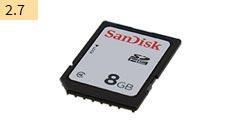
-
USB memory stick
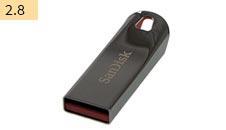
-
USB WLAN stick
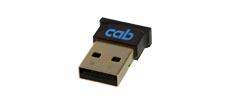
2.4 GHz 802.11b/g/n hotspot or infrastructure mode
-
USB WLAN stick including a rod antenna
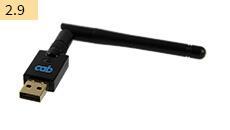
to extend the range of operation
2.4 GHz 802.11b/g/n + 5 GHz 802.11a/n/ac hotspot or infrastructure mode -
Product sensor, 3 pin
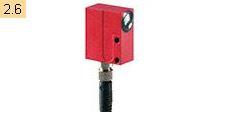
to be attached to a front side applicator, a vacuum belt applicator or an air jet box. Labels are triggered to be applied as soon as a product has been detached, e.g. on a conveyor belt.
-
Product sensor, 25 pin
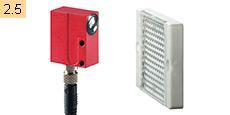
Labels are triggered to be applied as soon as a product has been detached, e.g. on a conveyor belt.
-
I/O interface connector SUB-D, 25 pins
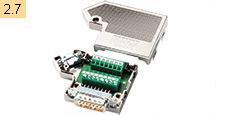
All the control signals can be attached to the I/O interface using clamping screws.
-
Warning light
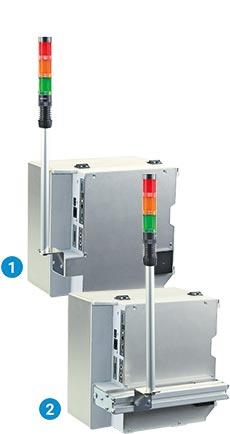
In addition to the information indicated on the display of a printer, states are signalled.
Red: Collective error
Yellow: Pre-warning to a label web or a ribbon ending
Green: Device readyA connecting cable and materials to assemble to a chassis or a bracket are included on delivery. USB connection to HERMES Q, connecting cable 1 m
1 Chassis assembly
2 2 Bracket assembly
-
External operation panel
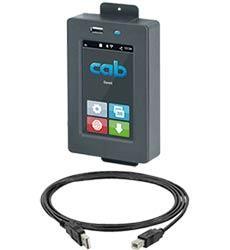
If the operation panel of a printer cannot be accessed, an additional external one can be plugged.
Same functionality as on the printer
Landscape or portrait mode
Operability as desired on the external operation panel or on the printer
Printer connectivity: USB 2.0 Hi-Speed device
cab provides specified connecting USB cables for power supply. Lengths are 1.8 m to 16 m.
-
Label selection - I/O box
A maximum of 16 different labels can be selected from a memory card by a master control unit, e.g. PLC.
-
Hand switch TR2
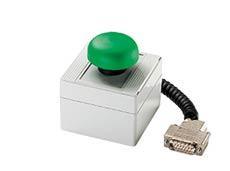
to be attached to the I/O interface
-
Foot switch
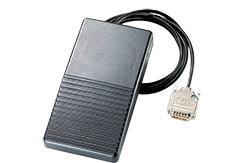
to be attached to the I/O interface
-
Connecting RS232 C cable
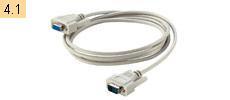
9/9 pin, 3 m
-
Scanner CC200
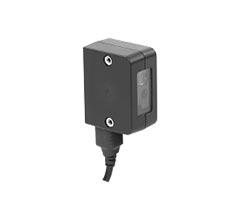
provided on request
-
-
Accessories and options provided for applicators
-
4.1 4.2 4.3 4.4 4.5 4.6 4.7 4.8 4.9 4.13 Pos Designation 3214 4114/16 4214 4414 4514 4712 3014/16 4014/16 4614 6114 5.13 Blow tube 
5.14 Unit regulating compressed air 5.16 Unit regulating compressed air providing a shut-off valve - - - - - - - - - 5.17 Pressure-reducing valve - - - - - - -
Blow tube
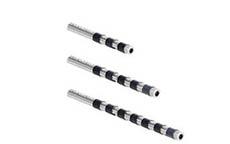
to provide support air. To assist label transfer, the label is blown from below to the pad.
Provided for 2", 4" or 6" label applications
-
Unit regulating compressed air
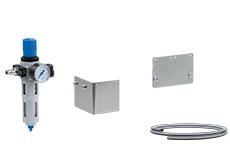
4.5 bar default setting
Provided in a left-hand or right-hand design
Delivery includes a fine filter, a pressure control valve with a display, a hose to connect to an applicator's compressed air input and material to assemble the unit to a chassis or bracket.
-
Unit regulating compressed air, providing a shut-off valve
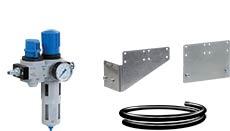
to vent a hose line subsequent to the unit
Provided in a left-hand or right-hand design
-
Pressure-reducing valve
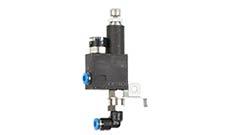
It reduces the pressure exerted by the stroke cylinder to the product.
Designed for applicators 4014/16, 4114/16, 4214, 4414
-
How to assemble a compressed air regulation unit
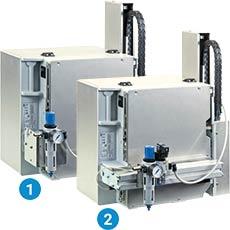
1 Chassis assembly
2 Bracket assembly
-
-
Assembly aids
-
Mount
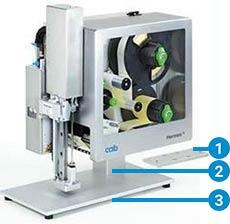
to install HERMES Q on a table or to a production line. Provided in a left-hand or right-hand design
The size of the mount can be adapted to an application.
1 Adapter plate
to fix a label application system
Alternatively, the system can be assembled directly to a production line, using the adapter plate with a profile.
2 Profile
square aluminum; 40, 80, 120 mm are standards, further lengths can be provided depending from customer demands
3 Base plate
to fix the product jig; 500 x 255 mm by default -
Mounting plate
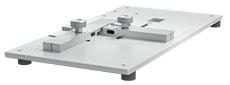
to assemble directly to a production line
-
Bracket
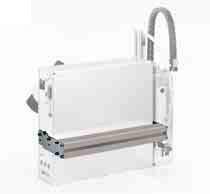
to assemble to a floor stand
-
Clamped joint designed for a 50 x 50 mm profile
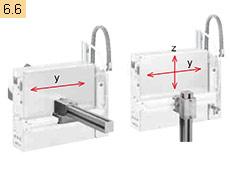
to move in horizontal or vertical direction
-
Flanged joint designed for a 50 x 50 mm profile
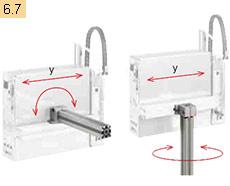
to move in horizontal direction or rotate around an axis
-
Floor stand 1601
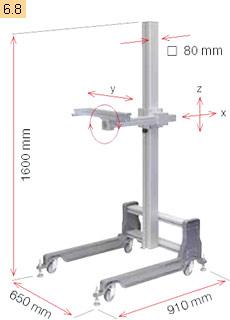
HERMES can be installed to a production line using a floor stand. The unit can be adjusted in three axes to the product to label. Pivoting is also possible.
It benefits when operating HERMES in different production lines. Mobility is provided. At the place of operation, the floor stand can be aligned with the help of feet to adjust.
Technical data Floor stand 1601 Base frame castors, feet to adjust Adjustment of heights and depths screw clamping Load if offset is 500 mm up to kg 50 Weight kg 36 -
Floor stand 1602
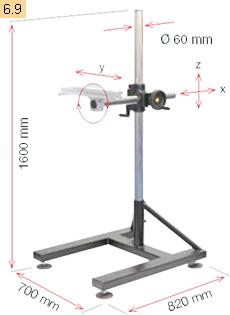
HERMES can be installed to a production line using a floor stand. The unit can be adjusted in three axes to the product to label. Pivoting is also possible.
It benefits if spots to which apply labels are changing frequently in terms of product heights and depths. HERMES can be adjusted in directions x and z to a product using a toothed rack.
Technical data Floor stand 1602 Base frame feet to adjust Adjustment of heights
Adjustment of depthstoothed rack / crank
toothed rack / handwheelLoad if offset is 500 mm up to kg 50 Weight kg 38 How to assemble to a stand
Applying labels in direction of transport
from the top
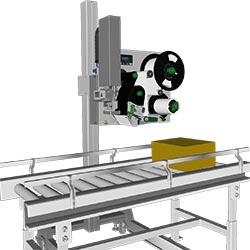 from the side
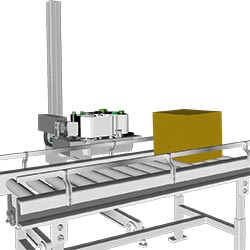
Applying labels crosswise the direction of transport
from the top
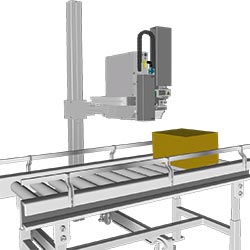 from the side
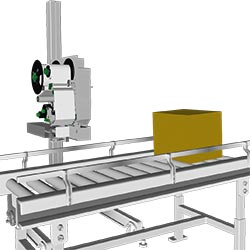
-
Floor stand 1201
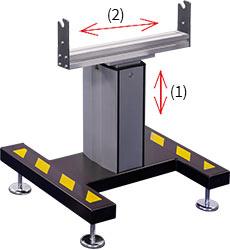
to assemble HERMES horizontally in a production line. The height can be adjusted continuous u sing an integral spindle.
A unit to regulate compressed air can be assembled to the bracket, so can a warning light.
Floor stand 1201 Feet to adjust by mm ± 15 Load up to kg 75 (1) Lower label margin-floor1) mm 720 - 960 (2) Depth along direction of transport mm ± 100 Weight approx. kg 40
-
Want to learn more?
Ask for an offer free of charge and without obligation:
Learn more:
Options
are parts or units to perform special functions. They are assembled to a printer in addition to or instead of standards. If order implies options be assembled ex factory, the part numbers of such printers and options are added by .250. Options delivered separately are added by .001.
| 1.1 | 1.2 | 1.3 | |||||||
| Pos | Designation | roll Ø 205 | roll Ø 305 | HERMES Q2 | HERMES Q4.3 | HERMES Q4 | HERMES Q6.3 | .250 | .001 |
|---|---|---|---|---|---|---|---|---|---|
| 3.1 | Automatic ribbon saving | |
|
- | |
|
|
|
- |
| 3.2 | Label unwinder K40 | |
|
|
|
|
|
|
|
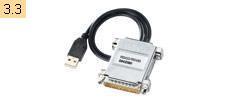
| 3.3 | Adapter 40/50 | |
|
|
|
|
|
|
|
| 3.4 | Adapter 76/100 | |
|
|
|
|
|
|
|
| 3.5 | Spacers | |
- | |
|
|
- | |
|
| 3.6 | Margin stop 10 | |
- | |
|
|
|
|
|
| 3.7 | Cover | |
- | |
|
|
|
|
|
| 3.8 | Print head pressure system, reduced force | |
|
|
|
|
|
|
|
| 3.9 | Extended peel-off plate (+10 mm) | |
|
|
|
|
|
|
|
| 3.10 | Print roller DRS | |
|
|
|
|
|
|
|
| 3.11 | Antistatic brush | |
|
|
|
|
- | |
|
| 3.12 | Draw roller ZS | |
|
|
|
|
|
|
|
| 3.13 | Interface for plugging an external label sensor | |
|
|
|
|
|
|
|
| 3.14 | 2 port Ethernet switch 10/100 Mbit/s | |
|
|
|
|
|
|
|
| 3.15 | Label sensor, modified | |
|
|
- | - | - | |
|
Automatic ribbon saving
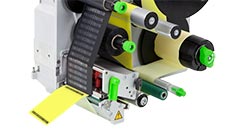
assembly ex factory only
Use is recommended in cases of at least 60 mm unprinted area on a label. While labels are fed, the print head is lifted and the ribbon stopped, resulting in less material consumption.
Label unwinder K40
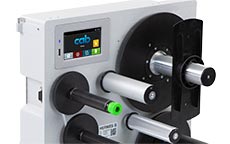
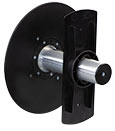 to process label rolls having a core diameter of 40 mm
Adapter 40/50
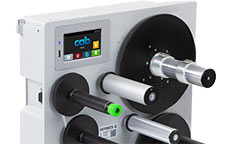
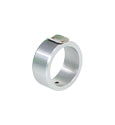 to pick up label rolls having a core diameter of 50 mm and minimum widths of 20 mm. One adapter is sufficient if material width does not exceed 50 mm.
Operate only with a label unwinder K40.
Adapter 76/100
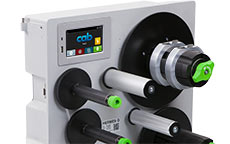
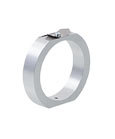
to pick up label rolls having a core diameter of 100 mm and minimum widths of 20 mm. One adapter is sufficient if material width does not exceed 50 mm.
Spacers
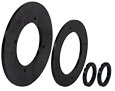
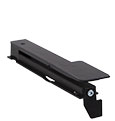
to process narrow labels provided on liners ≤ 20 mm wide, wound on a roll or a reel.
Ribbon protruding on both sides prevents from wrinkling. The label guidance is therefore offset by 7 mm from the middle wall with spacers. A modified label sensor is included on delivery.
Reel plate wall thickness 1 - 2 mm
Label sensor, modified
Provided for labels requiring a sensor distant up to 26 mm to the locating edge. This sensor cannot be fixed with a screw.
Margin stop 10
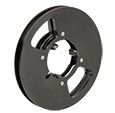
to guide narrow labels provided on a liner 10 - 24 mm wide, wound on a roll (no reels) having a core diameter of 76 mm..
Operate only with a spacer
Cover
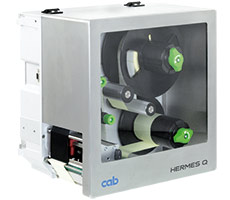
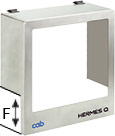 to prevent from contamination and contact
Maximum outside diameter for label rolls is 205 mm
Assembly in vertical orientation, rotated by ± 90° or horizontally
Depth of a pad immersing Dim. F
| Dimension F mm | |||
|---|---|---|---|
| Standard | Optional | on request | |
| HERMES Q2 | 60 | 100 | up to 120 |
| HERMES Q4/Q4.3 | 60 | 100 | up to 120 |
| HERMES Q6 | 25 | - | up to 120 |
Print head pressure system, reduced force
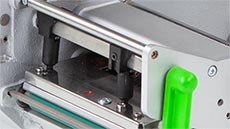
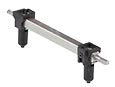 Thermal direct printing requires less pressure on a print head. Reduced force results in a decrease of wear. Product life extends.
Thermal direct printing only
Extended peel-off plate (+10 mm)
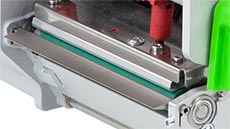
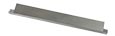 Recommended
- if labels are picked up by a robotic arm,
- if readable area is required for scanning,
- when installing an antistatic brush
Print roller DRS
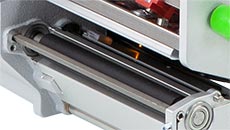
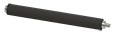 Silicone coating enables an extra long product life, taken a higher print offset into account.
Antistatic brush
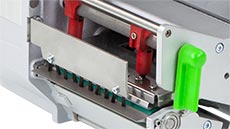
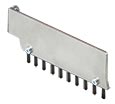 Electrostatic charge is reduced when plastic labels are printed and peeled off.
Operate only with an extended peel-off plate.
Draw roller ZS
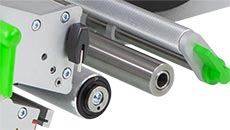
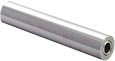 Made of steel, to avoid tension on a liner tape:
- if label height exceeds 150 mm
- when peeling off without backfeed
- if thick liner materials are processed
- when applying labels using a demand module 5114/16
Interface for plugging an external label sensor
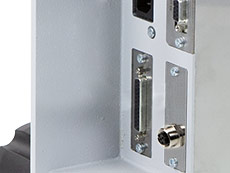
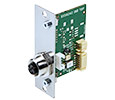 M12 plug, 5 pins, a-coded
Plug-compatible with CEON and other sensors based on PNP and 24 V
2-Port Ethernet Switch 10/100 Mbit/s
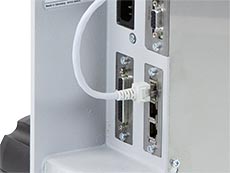
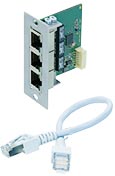 to connect another terminal device in a joint network. Signals are looped through.
Want to learn more?
Ask for an offer free of charge and without obligation:
Learn more:
Video: Labeling moving objects with the help of a robot
Powered by YouTube. See all cab videos: cab channel on YouTube.
Using an external robot, we have tested different label formats be applied flexibly to moving objects. The two HERMES Q label printers can also be equipped with a uniform label format, resulting in "zero downtime".
Other format:
- Labeling moving objects with the help of a robot (MPEG-4; 156 MB)
Video: Labeling non-moving objects with the help of a robot
Powered by YouTube. See all cab videos: cab channel on YouTube.
cab shows in this study the universal labeling of different label formats and flexible labeling positions with a robot. Alternatively, the label printers are equipped with both the same label format and ensure continuous operation at media end.
Other format:
- Labeling non-moving objects with the help of a robot (MPEG-4; 162.2 MB)
Video: Hermes Q with applicator 4114 and silicone form pad
Powered by YouTube. See all cab videos: cab channel on YouTube.
Other formats
- Hermes Q with applicator 4114 and silicone form pad (MPEG-4, 52,9 MB)
cab Video Tutorials
Download players:
- For WMV: Windows Media Player
- For MPEG-4: VLC Player
Want to learn more?
Ask for an offer free of charge and without obligation:
Learn more:
Documentation
-
Catalogs
-
Title Format Version Last change Language HERMES Q
PDF - 6.90 MB 04/2024 16/04/2024 English Labeling cables
PDF - 1.35 MB 04/2024 26/04/2024 English Overview Product Marking
PDF - 6.26 MB 04/2024 23/04/2024 English UHF RFID label printers
PX Q | HERMES Q | XD Q | SQUIXPDF - 2.78 MB 04/2024 19/04/2024 English
-
-
Assembly Instructions
-
Title Format Version Last change Language Assembly Instructions HERMES Q
PDF - 2.91 MB 12/2023 08/12/2023 English -
Other languages
-
Title Format Version Last change Language HERMES Q 标签打印机安装说明书
PDF - 3.64 MB 12/2023 08/12/2023 简体字 HERMES Q 標簽打印機安裝說明書
PDF - 3.74 MB 12/2023 08/12/2023 繁體字 Návod k montáži HERMES Q
PDF - 2.93 MB 12/2023 08/12/2023 Čeština Monteringsvejledning HERMES Q
PDF - 2.88 MB 12/2023 08/12/2023 Dansk Montagehandleiding HERMES Q
PDF - 2.89 MB 12/2023 08/12/2023 Nederlands Asennusohje HERMES Q
PDF - 2.85 MB 12/2023 08/12/2023 Suomi Szerelési útmutató HERMES Q
PDF - 2.92 MB 12/2023 08/12/2023 Magyar Instrukcja montażu HERMES Q
PDF - 2.93 MB 12/2023 08/12/2023 Polski Instruções de montagem HERMES Q
PDF - 2.91 MB 12/2023 08/12/2023 Português Instrucțiuni de montaj HERMES Q
PDF - 2.92 MB 12/2023 08/12/2023 Română Руководство по монтажу HERMES Q
PDF - 2.96 MB 12/2023 08/12/2023 Pусский Navodila za montažo HERMES Q
PDF - 2.92 MB 12/2023 08/12/2023 Slovenščina Instrucciones de montaje de la impresora de etiquetas HERMES Q
PDF - 2.90 MB 10/2019 30/11/2020 Español Monteringsanvisning HERMES Q
PDF - 2.88 MB 12/2023 08/12/2023 Svensk HERMES Q - 조립 설명서
PDF - 3.18 MB 12/2023 08/12/2023 한국어 Instrucciones de montaje HERMES Q
PDF - 2.91 MB 12/2023 08/12/2023 Español Istruzioni di montaggio HERMES Q
PDF - 2.91 MB 12/2023 08/12/2023 Italiano Montageanleitung HERMES Q
PDF - 2.91 MB 12/2023 08/12/2023 Deutsch Notice d'assemblage HERMES Q
PDF - 2.93 MB 12/2023 08/12/2023 Français
-
-
-
Interface Descriptions
-
Information on the interface type can be found on the original cab packaging, in the printer status report after installation or as a label next to the SUB-D connection.
Title Format Version Last change Language Interface Description I/O 24V25-2 and I/O 24V25-3
PDF - 278 KB 05/2023 06/02/2024 English Interface Description I/O 24V25-4
PDF - 278 KB 05/2023 06/02/2024 English -
Other languages
-
Title Format Version Last change Language Description de l'interface I/O 24V25-4
PDF - 301 KB 05/2023 17/05/2023 Français Description des interfaces I/O 24V25-2 et I/O 24V25-3
PDF - 302 KB 05/2023 17/05/2023 Français Schnittstellenbeschreibung I/O 24V25-2 und I/O 24V25-3
PDF - 265 KB 05/2023 17/05/2023 Deutsch Schnittstellenbeschreibung I/O 24V25-4
PDF - 268 KB 05/2023 17/05/2023 Deutsch
-
-
-
Configuration Manuals
-
Title Format Version Last change Language Configuration manual cab Label Printers
from SN 14089PDF - 2.58 MB 11/2023 06/03/2024 English -
Other languages
-
Title Format Version Last change Language Konfigurationsanleitung cab-Etikettendrucker
ab SN 14089PDF - 2.60 MB 11/2023 06/03/2024 Deutsch Manuel de configuration imprimantes d'étiquettes cab
à partir du numéro de série 0014089PDF - 2.66 MB 11/2023 13/11/2023 Français
-
-
-
Programming
-
Title Format Version Last change Language cab Remote Control
Remote control of cab systems for label printing / Fernsteuerung von cab Drucksystemen - HERMES Q, SQUIX, PX QZIP - 3.50 MB 2021/07 04/05/2023 English/Deutsch PLC Programmer's Guide HERMES Q, SQUIX, XD Q, PX Q
with label layouts and programming examplesZIP - 16.17 MB 06/2020 02/02/2023 English Brief introduction to cab printer programming
PDF - 7.47 MB 04/2022 02/02/2023 English cabPROTECT - Data security in label printing
PDF - 468 KB 10/2023 23/10/2023 English Networked labeling with OPC UA
cab and the Smart FactoryPDF - 1.12 MB 03/2019 02/02/2023 English Programming Manual abc Basic Compiler
for cab printersPDF - 1.78 MB 04/2023 15/04/2024 English Programming Manual JScript X4
for SQUIX, MACH 4S, EOS2, EOS5, XC Q, XD Q, HERMES Q, PX Q, AXON1, AXON 2PDF - 5.27 MB 04/2024 11/04/2024 English ZPL Emulation with cab printers
PDF - 456 KB 06/2021 26/02/2024 English -
Other languages
-
Title Format Version Last change Language cab Download Converter (download.exe)
Converts image, font and database files into the JScript download data format.
Install MS Visual C++ 2010 Redistributable if not available on your system.ZIP - 9 KB 2.3 01/03/2023 – cabPROTECT - Datensicherheit beim Etikettendruck
PDF - 470 KB 10/2023 23/10/2023 Deutsch Kurze Einführung in die cab Druckerprogrammierung
PDF - 7.50 MB 04/2022 12/04/2022 Deutsch Marquage en réseau avec OPC UA
cab et l'usine intelligentePDF - 745 KB 01/2022 01/03/2023 Français SPS Programmieranleitung HERMES Q, SQUIX, XD Q, PX Q
mit Etikettenlayouts und BeispielprogrammenZIP - 16.22 MB 06/2020 18/04/2024 Deutsch Vernetzt kennzeichnen mit OPC UA
cab und die intelligente FabrikPDF - 1.13 MB 03/2019 28/01/2021 Deutsch ZPL Emulation mit cab Drucksystemen
PDF - 497 KB 06/2021 01/03/2023 Deutsch
-
-
-
Service Manuals
-
Title Format Version Last change Language Service Manual HERMES Q
PDF - 2.98 MB 04/2020 08/02/2023 English -
Other languages
-
Title Format Version Last change Language Serviceanleitung HERMES Q
PDF - 2.96 MB 04/2020 08/12/2020 Deutsch
-
-
-
Spare Parts
-
Title Format Version Last change Language Spare Parts List HERMES QL
PDF - 2.01 MB 10/2023 11/10/2023 English Spare Parts List HERMES QR
PDF - 2.04 MB 10/2023 11/10/2023 English -
Other languages
-
Title Format Version Last change Language Ersatzteilliste HERMES QL
PDF - 2.02 MB 10/2023 11/10/2023 Deutsch Ersatzteilliste HERMES QR
PDF - 2.05 MB 10/2023 11/10/2023 Deutsch
-
-
-
cab Video Tutorials
-
Title Format Version Last change Language How to adjust the light barrier at HERMES Q?
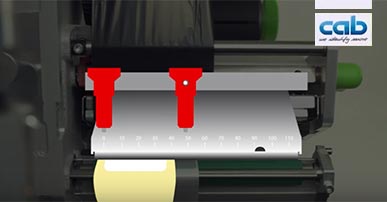
– 01/2020 08/04/2024 – How to adjust the pressure system of HERMES Q?
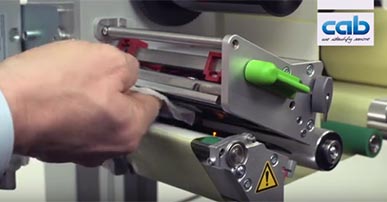
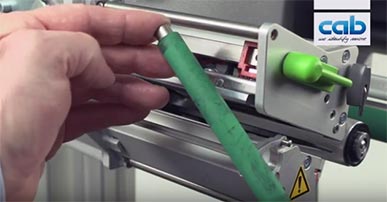
– 01/2020 08/04/2024 – How to clean print roller at HERMES Q?
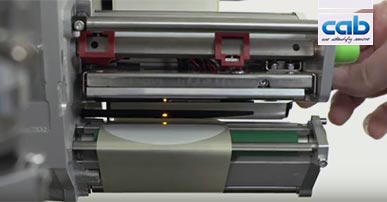
– 01/2020 08/04/2024 – How to clean printhead at HERMES Q?
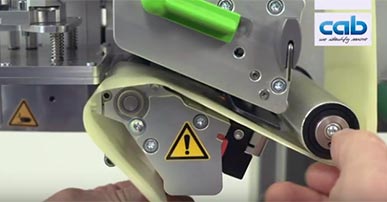
– 01/2020 08/04/2024 – How to load labels in the HERMES Q?
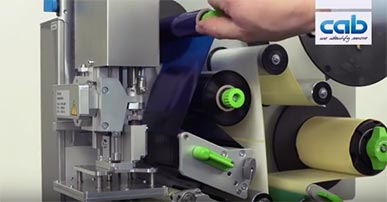
– 01/2020 08/04/2024 – How to load ribbon in HERMES Q?
– 01/2020 08/04/2024 –
-
-
Feed Path Schemes
-
Title Format Version Last change Language Feed Path Scheme HERMES QL-2
Open the file in Adobe Acrobat Reader to interactively adapt the schemas to the specific application.PDF - 65 KB 07/2019 24/05/2023 English Feed Path Scheme HERMES QL-3
Open the file in Adobe Acrobat Reader to interactively adapt the schemas to the specific application.PDF - 64 KB 07/2019 24/05/2023 English Feed Path Scheme HERMES QR-2
Open the file in Adobe Acrobat Reader to interactively adapt the schemas to the specific application.PDF - 56 KB 07/2019 24/05/2023 English Feed Path Scheme HERMES QR-3
Open the file in Adobe Acrobat Reader to interactively adapt the schemas to the specific application.PDF - 54 KB 07/2019 24/05/2023 English -
Other languages
-
Title Format Version Last change Language Einlegeschema HERMES QL-2
Öffnen Sie die Datei im Adobe Acrobat Reader, um interaktiv die Schemas an die konkrete Anwendung anzupassen.PDF - 47 KB 07/2019 24/05/2023 Deutsch Einlegeschema HERMES QL-3
Öffnen Sie die Datei im Adobe Acrobat Reader, um interaktiv die Schemas an die konkrete Anwendung anzupassen.PDF - 46 KB 07/2019 24/05/2023 Deutsch Einlegeschema HERMES QR-2
Öffnen Sie die Datei im Adobe Acrobat Reader, um interaktiv die Schemas an die konkrete Anwendung anzupassen.PDF - 47 KB 07/2019 24/05/2023 Deutsch Einlegeschema HERMES QR-3
Öffnen Sie die Datei im Adobe Acrobat Reader, um interaktiv die Schemas an die konkrete Anwendung anzupassen.PDF - 45 KB 07/2019 24/05/2023 Deutsch Schémas de mise en place des cons. HERMES QL-2
Ouvrez le fichier avec Adobe Reader afin de sélectionner le type de consommables pour obtenir le schéma de mise en place correspondantPDF - 56 KB 07/2019 24/05/2023 Français Schémas de mise en place des cons. HERMES QL-3
Ouvrez le fichier avec Adobe Reader afin de sélectionner le type de consommables pour obtenir le schéma de mise en place correspondantPDF - 55 KB 07/2019 24/05/2023 Français Schémas de mise en place des cons. HERMES QR-2
Ouvrez le fichier avec Adobe Reader afin de sélectionner le type de consommables pour obtenir le schéma de mise en place correspondantPDF - 56 KB 07/2019 24/05/2023 Français Schémas de mise en place des cons. HERMES QR-3
Ouvrez le fichier avec Adobe Reader afin de sélectionner le type de consommables pour obtenir le schéma de mise en place correspondantPDF - 54 KB 07/2019 24/05/2023 Français
-
-
-
Manuals Accessories
-
Title Format Version Last change Language Bracket - Assembly Instructions
PDF - 105 KB 08/2019 08/12/2020 English PCB External Label Sensor - Assembly Instructions
PDF - 457 KB 02/2023 14/07/2023 English Spacers - Assembly Instructions
PDF - 449 KB 06/2021 08/02/2023 English Compressed Air Regulation Unit - Assembly Instructions
PDF - 306 KB 11/2020 08/02/2023 English Compressed Air Regulation Unit with Shut-off Valve - Assembly Instructions
PDF - 323 KB 08/2019 08/02/2023 English Label File Selection Box - Input Output Box - Instructions
PDF - 329 KB 04/2023 12/04/2023 English External Operation Panel - Instructions
PDF - 274 KB 04/2023 12/04/2023 English Product Sensor I/O - Mounting Instructions
PDF - 120 KB 08/2019 08/12/2020 English 2-Port Ethernet Switch - Assembly Instructions
PDF - 162 KB 09/2019 08/02/2023 English Warning Light - Assembly Instructions
PDF - 303 KB 06/2020 08/02/2023 English Cover - Assembly Instructions
PDF - 166 KB 08/2020 08/02/2023 English -
Other languages
-
-
EU Declarations of Conformity - Accessories
-
Title Format Version Last change Language EU Declaration of Conformity CC200-HQ
PDF - 71 KB 11/2022 17/11/2022 English Label File Selection Box - I/O Box - EU Declaration of Conformity
PDF - 30 KB 07/2019 02/02/2023 English External Operation Panel - EU Declaration of Conformity
PDF - 30 KB 07/2019 02/02/2023 English 2-Port Ethernet Switch - EU Declaration of Conformity
PDF - 30 KB 09/2019 08/12/2020 English Warning Light - EU Declaration of Conformity
PDF - 98 KB 06/2020 08/12/2020 English Present Sensor PS 4/900 HQ 4L EU Declaration of Conformity
PDF - 71 KB 09/2022 30/09/2022 English -
Other languages
-
Title Format Version Last change Language 2-Port Ethernet Switch - Konformitätserklärung
PDF - 30 KB 09/2019 08/12/2020 Deutsch Balise d’alarme lumineuse - Déclaration UE de conformité
PDF - 97 KB 06/2020 08/12/2020 Français Déclaration UE de conformité CC200-HQ
PDF - 71 KB 11/2022 17/11/2022 Français Etikettenauswahlbox - Ein-/Ausgabebox - Konformitätserklärung
PDF - 30 KB 07/2019 02/12/2020 Deutsch EU-Konformitätserklärung CC200-HQ
PDF - 72 KB 11/2022 17/11/2022 Deutsch Externes Bedienfeld - Konformitätserklärung
PDF - 30 KB 07/2019 02/12/2020 Deutsch Labelbox - I/O Box - Déclaration UE de conformité
PDF - 30 KB 07/2019 02/12/2020 Français Meldeleuchte - Konformitätserklärung
PDF - 99 KB 06/2020 08/12/2020 Deutsch Panneau de commande externe - Déclaration UE de conformité
PDF - 30 KB 07/2019 02/12/2020 Français
-
-
-
Case study
-
Title Format Version Last change Language High voltage at Mennekes: Electric vehicle charging cables, explicitly labeled
PDF - 672 KB 07/2023 10/07/2023 English HTI, specialist in lab and manufacture automation: Opening, filling and labeling micro-screw tubes
PDF - 650 KB 11/2022 16/11/2022 English
-
-
Safety data sheets
-
Title Format Version Last change Language Safety Data Sheet Special Cleaner for Glass and Plastic GR1N
PDF - 65 KB 08/2017 02/02/2023 English Safety Data Sheet Special Rubber Cleaner WR1
PDF - 76 KB 12/2017 02/02/2023 English -
Other languages
-
Title Format Version Last change Language Sicherheitsdatenblatt Spezial Glasreiniger und Kunststoffreiniger GR1N
PDF - 156 KB 06/2017 25/08/2022 Deutsch Sicherheitsdatenblatt Spezial-Gummiwalzen-Reiniger WR1
PDF - 173 KB 06/2017 25/08/2022 Deutsch
-
-
3D CAD models
The files are provided in STEP format, which requires CAD software. Follow this link to download a free STP Viewer: VariCAD Viewer (External website).
Select the desired model and click on the link. A short registration follows. cab will handle your personal information as described in our Privacy statement. This information will not be accessible to any third party for marketing purposes. You will receive an email with an activation link and you can download the models.
You need Adobe Reader to view the PDF-files. Download current version of Adobe Reader
Want to learn more?
Ask for an offer free of charge and without obligation:
Learn more:
Ready to interact with machines and components of different manufacturers in industrial plants.
Interface modeled by cab for robotics operations of tomorrow.
Here you can download firmware, drivers and software. Documentation on label software, printers programming and administration as well as integration of cab printers into SAP systems:
Label software
Software & Drivers
-
Firmware
-
Title Format Version Last change Language cabFirmwareUpdater
Windows 32 & 64 bit (starting from Vista)ZIP - 16.54 MB 3.11.0.0 07/09/2023 – Firmware X4
Firmware SQUIX | EOS2 | EOS5 | MACH 4S | XD Q | XC Q | HERMES Q | PX Q | AXONZIP - 51.18 MB 5.44.2 14/03/2024 – Release Notes Firmware X4
 TXT - 98 KB
5.00 - 5.44.2 14/03/2024 –
-
-
Firmware periphery
-
Title Format Version Last change Language Firmware I/O 24V25-2, I/O 24V25-3, I/O 5V15-2 and I/O 5V15-3
ZIP - 23 KB V3.2.0 29/09/2023 –
-
-
Drivers
-
Title Format Version Last change Language cab Linux Armv7 - 32 Bit Driver
CUPS Linux Armv7 32bit Driver RPi 2/3/4 (min. CUPS 1.2)GZ - 2.80 MB 1.46 21/02/2024 – cab Linux Armv8(aarch64) - 64 Bit Driver
CUPS Linux Armv8 64 Bit Driver RPi 3/4 (min. CUPS 1.2)GZ - 2.80 MB 1.46 22/08/2023 – cab Linux x86 - 32 Bit Driver
CUPS Linux Intel 32bit Driver (min. CUPS 1.2)GZ - 2.81 MB 1.46 22/08/2023 – cab Linux x86 - 64 Bit Driver
CUPS Linux Intel/AMD 64bit Driver (min. CUPS 1.2)GZ - 2.80 MB 1.46 22/08/2023 – cab MAC OS Driver
Apple® Mac OS 10.15 - 14.2ZIP - 2.97 MB 1.46 28/03/2024 – cab MAC OS X Driver
Apple® Mac OS X 10.6 - 10.14ZIP - 5.82 MB 1.46 22/08/2023 – cab Windows Driver ARCHIV
Vista, Windows 7, Windows 8, Windows 8.1, Windows 10, Windows Server 2008, 2008 R2, 2012, 2012 R2, 2016, 2019 - 32/64 Bit CERTIFIEDZIP - 9.37 MB 5.3.03 21/02/2024 – cab Windows Driver NEW
Windows 10, Windows 11, Windows Server 2016, Windows Server 2019, Windows Server 2022 - 64BitZIP - 22.19 MB 1.3.0.0 21/02/2024 – cab Windows Driver NEW Release Notes
TXT - 4 KB
1.2.1.20 - 1.3.0.0 21/02/2024 –
-
-
Software
-
Title Format Version Last change Language cablabel S3 Demo (Free)
Windows Vista, 7, 8, 10, Server 2008, 2008 R2, 2012, 2012 R2, 2016, 2019ZIP - 51.42 MB 1.4.0.6 19/07/2023 – cablabel S3 Lite (Free)
Windows Vista, 7, 8, 10, 11, Server 2008, 2008 R2, 2012, 2012 R2, 2016, 2019, 2022ZIP - 67.32 MB 1.4.0.6 19/07/2023 – cablabel S3 Print
Windows Vista, 7, 8, 10, 11, Server 2008, 2008 R2, 2012, 2012 R2, 2016, 2019, 2022ZIP - 57.10 MB 1.4.0.6 19/07/2023 – cablabel S3 Pro
Windows Vista, 7, 8, 10, 11, Server 2008, 2008 R2, 2012, 2012 R2, 2016, 2019, 2022ZIP - 67.76 MB 1.4.0.6 19/07/2023 – -
Other languages
-
Title Format Version Last change Language cab Download Converter (download.exe)
Converts image, font and database files into the JScript download data format.
Install MS Visual C++ 2010 Redistributable if not available on your system.ZIP - 9 KB 2.3 01/03/2023 – Database Connector
Windows 32 & 64 bitZIP - 10.93 MB 4.3.0.1 02/06/2023 – LogService
for Database ConnectorZIP - 4.15 MB 1.7.1.0 15/12/2020 –
-
-
You need Adobe Reader to view the PDF-files. Download current version of Adobe Reader
Want to learn more?
Ask for an offer free of charge and without obligation:
Learn more:
Ready to interact with machines and components of different manufacturers in industrial plants.
Interface modeled by cab for robotics operations of tomorrow.