Hermes A print and apply
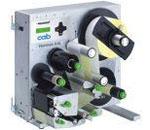
After many years, production of the cab Hermes A labeling systems will be disconitinued end of 2010.
cab recommends the advanced labeling system Hermes+.
The electronics and various mechanical components of Hermes+ are based on the well-established A+ series. All kinds of data links are available! A special applicator interface has been defined for integrating the system.
Pictures and Video
 zoom in
A2L - Dispensing direction to the left
Print width up to 54,2 mm
 zoom in
A4L - Dispensing direction to the left
Print width up to 105,6 mm
 zoom in
A4R - Dispensing direction to the right
Print width up to 105,6 mm
 zoom in
A5L - Dispensing direction to the left
Print width up to 105,6 mm
 zoom in
A5R - Dispensing direction to the right
Print width up to 105,6 mm

 see video
cab Hermes A
with applicator
 zoom in
 zoom in
 zoom in
 zoom in
 zoom in
 see video
Variants
- Thermal/Thermal transfer
- 300 bis 600 dpi Print resolution
- 54,2 bis 105,6 mm Print width
- Stand-Alone operation
Content of delivery
- Label printer
- Empty ribbon core
- 2 shaft adapters
- Flange
- Power cable for Germany
- Documentation
Want to learn more?
Ask for an offer free of charge and without obligation:


High print image with cab ribbons.
Functions and advantages
No matter how you turn it - Apply bottom to top, top to bottom or from either side: The Hermes A prints and applies in any installation position and can therefore be integrated in all kinds of production lines.
- Precise print
- Real time print
- High process safety
- Simple, interactive menu control
- Long operating life
Navigatorpad
Simple, interactive menu control. Applicable functions are illuminated. Menu handling is easy to comprehend.
Slot for CompactFlash Memory Card
The memory card stores label designs including fonts, texts, graphics, programs or data bases.
Graphic display with 120 x 32 dots
Displays the active printing status as well as notes for the operator.
Button for test mode
For test run. The first push releases the printing of the label and feeds it forward to the peeling position. Pushing the button a second time actuates a backfeed and the printing of the next label.
Ribbon re- and unwinder
Clamping shafts provide a fast and easy exchange of the ribbon.
Mounting bracket
Mounting holes to fix the brackets on the printer for the overhanging applicator assemblies.
Mounting of the applicator
The applicator is mounted on hinges and can be exchanged easily.
Printing offset
After exchanging the label roll the printing position is set up automatically after a few printed labels. The label position is stored, even if the machine is turned off.
Want to learn more?
Ask for an offer free of charge and without obligation:
Printhead
Printing method:
Thermal/Thermal transfer
Print resolution:
300 - 600 dpi
Print speed:
100 - 250 mm/s
Labels
Material: Thermal- or standard paper, plastic foil e.g.:
PET, PE, PP, PVC, PU, Acrylat, PI
Material thickness1 / Weight:
0,055 - 0,35 mm / 60 - 160 g/m2
Label width:
4 - 116 mm
Label height:
4 - 200 mm
Ribbon
Ink:
inside or outside
Roll diameter:
80
Core diameter:
25
Internal rewinder
Total diameter:
145 - 200 mm
Core diameter:
38,1 mm
Dimensions
Height:
390 - 542 mm
Depth:
420 - 527 mm
Width:
220 - 276 mm
Weight:
17 - 20 kg
Electronics
Processor 32 Bit ColdFire/CPU:
144 MHz
RAM:
16 MB
ROM:
4 MB Flash
Want to learn more?
Ask for an offer free of charge and without obligation:
1. Warning light
 Indicates the printer’s status and is installed directly on the printer, the mounting bracket or stand.
Red: error at the printer or applicator
Yellow: labels or ribbon are running out
Green: ready for operation.
2. Warning sensor labels
 Before the labels run out, a warning message is indicated both at the warning light and by means of the PLC interface whenever the minimum of labels exceeds the lower level. The minimum label sensor can be adjusted.
3. Warning sensor ribbon
 Before the ribbon runs out a warning message is indicated both on the warning light and by means of the PLC interface whenever the minimum quantity of ribbon exceeds the lower level. This level of ribbon can be adjusted.
4. Barcode Tester
 Immediately after the printing process the barcode can be tested for readability and contents. Type of scanner and further processing are defined to customer’s specifications.
5. Assembly frame B
 Workpiece height 150 mm with X-/Y-stopper and release switch.
Want to learn more?
Ask for an offer free of charge and without obligation:
Video: Hermes A with applicator
Powered by YouTube. See all cab videos: cab Channel auf YouTube.
Other formats
- Hermes A with applicator (WMV, 3,6 MB)
- Hermes A with applicator (MPEG-4, 2,1 MB)
Downlaod players:
- For Flash: Adobe Flash Player
- For WMV: Windows Media Player
- For MPEG-4: VLC Player
Want to learn more?
Ask for an offer free of charge and without obligation:
Product Hermes A is not available any more. Please inform yourself about repair, service and spare parts availability for the model on our page: Discontinued Products.
Documentation
-
Operation Manuals
-
Title Format Version Last change Language Operator's Manual Hermes A
PDF - 2.60 MB 3/10 27/11/2013 English
-
-
Programming
-
Title Format Version Last change Language cab Download Converter (download.exe)
Converts image, font and database files into the JScript download data format.
Install MS Visual C++ 2010 Redistributable if not available on your system.ZIP - 9 KB 2.3 25/10/2024 – Programming Manual A- Series, M4 and Hermes A
PDF - 2.79 MB 5.1a 21/04/2011 English
-
-
Service Manuals
-
Title Format Version Last change Language Service Manual Hermes A
PDF - 5.05 MB 4/06 27/11/2013 English
-
-
Spare Parts
-
Title Format Version Last change Language Spare Parts List Hermes A2L
PDF - 2.28 MB 7/10 27/11/2013 English Spare Parts List Hermes A4L
PDF - 2.31 MB 7/10 27/11/2013 English Spare Parts List Hermes A4R
PDF - 2.39 MB 7/10 27/11/2013 English Spare Parts List Hermes A5L
PDF - 2.40 MB 9/10 27/11/2013 English Spare Parts List Hermes A5R
PDF - 2.29 MB 10/10 27/11/2013 English
-
-
Manuals Accessories
-
Title Format Version Last change Language Label File Selection Box - Input Output Box - Operating Instructions
for 16 label definitions E0 - E15PDF - 214 KB 11/2013 04/12/2020 English Stand 1600 - Operator's Manual
PDF - 1.41 MB 03/2006 04/12/2020 English -
Other languages
-
Title Format Version Last change Language Etikettenauswahlbox - Ein-/Ausgabebox - Bedienungsanleitung
bis zu 16 Etikettendefinitionen - E0 bis E15PDF - 215 KB 11/2013 04/12/2020 Deutsch Labelbox - I/O Box
pour 16 étiquettes différentes E0-E15PDF - 215 KB 11/2013 04/12/2020 Français Stativ 1600 - Bedienungsanleitung
für A+ Serie und Hermes+PDF - 1.37 MB 03/2006 04/12/2020 Deutsch
-
-
-
Safety data sheets
-
Title Format Version Last change Language Safety Data Sheet Special Cleaner for Glass and Plastic GR1N
PDF - 65 KB 08/2017 23/10/2024 English Safety Data Sheet Special Rubber Cleaner WR1
PDF - 76 KB 12/2017 23/10/2024 English -
Other languages
-
Title Format Version Last change Language Sicherheitsdatenblatt Spezial-Gummiwalzen-Reiniger WR1
PDF - 173 KB 06/2017 25/08/2022 Deutsch
-
-
You need Adobe Reader to view the PDF-files. Download current version of Adobe Reader
Want to learn more?
Ask for an offer free of charge and without obligation:
Software & Drivers
-
Firmware
-
Title Format Version Last change Language cabFirmwareUpdater
Windows 32 & 64 bit (starting from Vista)ZIP - 21.75 MB 3.12.0.0 26/03/2025 – Firmware AX (Hermes A)
Firmware Hermes AZIP - 1.06 MB 3.19 23/02/2021 –
-
-
Firmware periphery
-
Title Format Version Last change Language cabFirmwareUpdater
Windows 32 & 64 bit (starting from Vista)ZIP - 21.75 MB 3.12.0.0 26/03/2025 –
-
-
Drivers
-
Title Format Version Last change Language cab Linux Armv7 - 32 Bit Driver
CUPS Linux Armv7 32bit Driver RPi 2/3/4 (min. CUPS 1.2)GZ - 2.80 MB 1.46 23/10/2024 – cab Linux Armv8(aarch64) - 64 Bit Driver
CUPS Linux Armv8 64 Bit Driver RPi 3/4 (min. CUPS 1.2)GZ - 2.80 MB 1.46 23/10/2024 – cab Linux x86 - 32 Bit Driver
CUPS Linux Intel 32bit Driver (min. CUPS 1.2)GZ - 2.81 MB 1.46 23/10/2024 – cab Linux x86 - 64 Bit Driver
CUPS Linux Intel/AMD 64bit Driver (min. CUPS 1.2)GZ - 2.80 MB 1.46 23/10/2024 – cab MAC OS Driver
Apple® Mac OS 10.15 - 26ZIP - 2.97 MB 1.46 27/02/2026 – cab MAC OS X Driver
Apple® Mac OS X 10.6 - 10.14ZIP - 5.82 MB 1.46 23/10/2024 – cab Windows Driver ARCHIV
Vista, Windows 7, Windows 8, Windows 8.1, Windows 10, Windows Server 2008, 2008 R2, 2012, 2012 R2, 2016, 2019 - 32/64 Bit CERTIFIED, works on Windows 11 (Not certified!)ZIP - 9.37 MB 5.3.03 24/10/2025 –
-
-
Software
-
Title Format Version Last change Language cab Download Converter (download.exe)
Converts image, font and database files into the JScript download data format.
Install MS Visual C++ 2010 Redistributable if not available on your system.ZIP - 9 KB 2.3 25/10/2024 – Database Connector
Windows 32 & 64 bitZIP - 27.77 MB 4.4.0.0 21/01/2026 – LogService
for Database ConnectorZIP - 4.15 MB 1.7.1.0 25/10/2024 –
-
You need Adobe Reader to view the PDF-files. Download current version of Adobe Reader
Want to learn more?
Ask for an offer free of charge and without obligation: